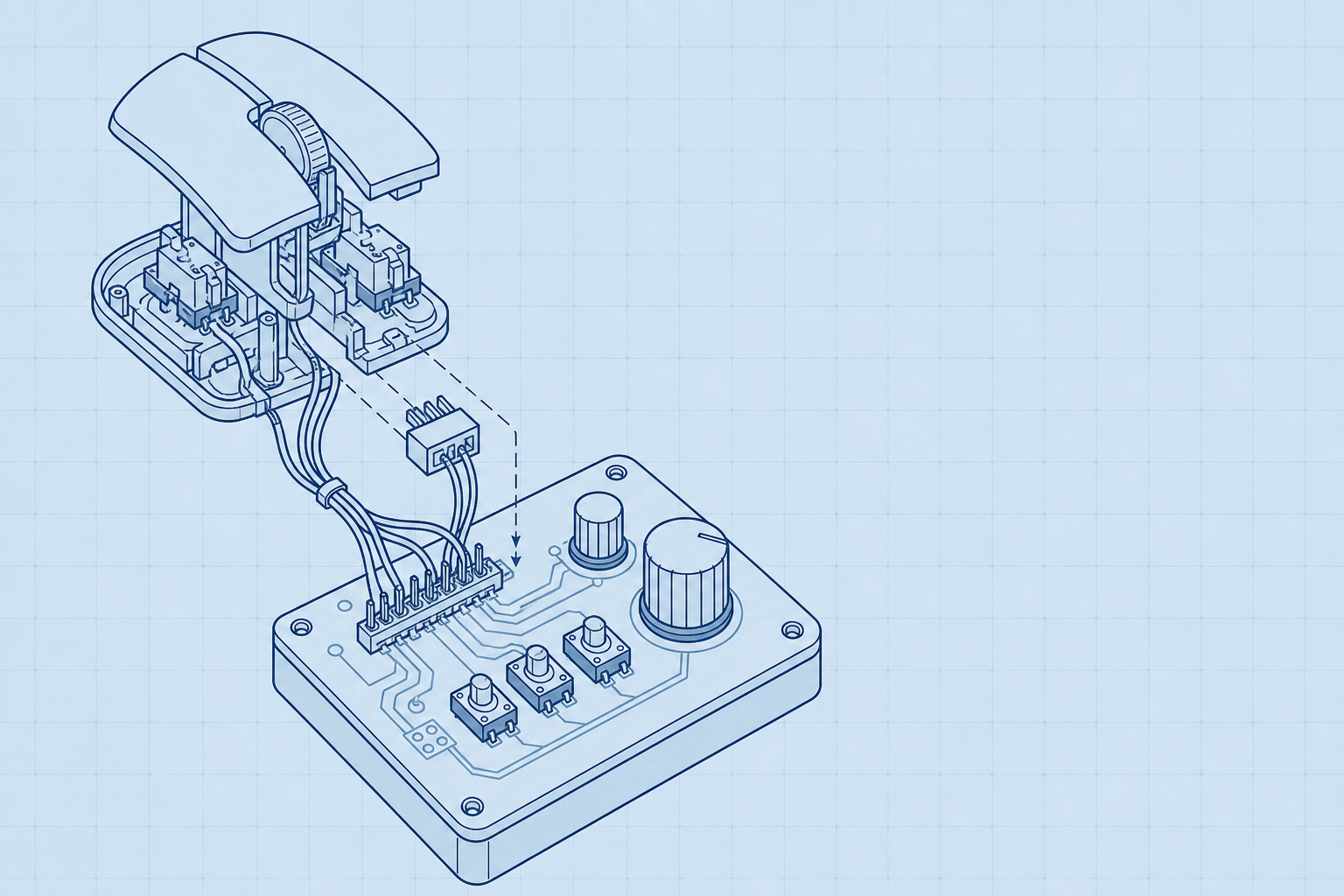
OpenLogi turns a Logitech mouse button into a workstation control surface, with appinn noting support for 41 built-in actions, DPI adjustment without the Logitech Options+ background service, and automatic profile switching by application. The pattern is larger than one driver. woshipm records WeChat Input changes that let users long-press a candidate word, pin it to the first position, or delete it from the candidate list.
That is where productivity tuning is moving.
The useful work is happening in always-on layers that sit below flagship apps: the mouse driver that follows the active program, the input method that remembers which word should appear first, the local utility that removes a background service rather than adding another one. These tools matter because their gains repeat at the point of contact. A button press, a candidate choice, a DPI switch: each is small, but each happens where attention is already being spent.
The control layer is where small frictions repeat
OpenLogi matters because it moves tuning into the control layer people touch before they open an app. According to appinn, it can customize mouse buttons, offers 41 built-in actions, adjusts mouse DPI without relying on the Logitech Options+ background service, and switches profiles automatically by application. That is a different kind of productivity work from adding another large tool. It sits under the task, close to the hand.
- 2014-2016Author enters beginner stage after university graduation
- 2015Author buys SONY MDR 1A headphones
- 2016-2020Author enters development stage after returning to China
- 2019Author compares Hackintosh cost with equivalent Mac
- 2020-2025Author describes bottleneck period in hardware and workflow
Small frictions repeat there.
The same pattern shows up in WeChat Input. According to woshipm, users can long-press a candidate word and pin it to the first position, or long-press a candidate word and delete it. The woshipm author argues that this kind of detailed personal editing helps fast abbreviated pinyin input, because the input method learns the user's preferred candidates instead of forcing repeated correction. This is not a flagship feature in the usual sense. It is a small change at a high-frequency point.
That is why the sspai designer's budget rule fits the same story. The sspai author describes 2020-2025 as a bottleneck period involving physical hardware, workflow, and mindset problems, then argues that people should spend budget and energy on equipment they will definitely use every day. A mouse driver and an input method qualify under that test. They are always present, often ignored, and expensive to replace mentally when they add bloat.
The practical shift is from app selection to friction placement. If a button mapping, DPI setting, candidate pin, or automatic profile removes a repeated interruption, the workstation feels tuned without demanding a new working system. If it adds upkeep, it becomes another layer to babysit.
Local tools trade convenience for control
OpenLogi draws the hardest line: the mouse driver should stay local, readable, and replaceable. According to appinn, it is an open-source alternative to Logitech Options+ that runs locally, is written in Rust, and controls HID++ devices. Its settings live in TOML files, with no account and no telemetry. That makes customization auditable in a way a cloud-tied utility is not.
The tradeoff is maintenance.
OpenLogi is broad enough to cover mouse button mapping, DPI, SmartShift scroll behavior, scroll direction, automatic application profile switching, Logi Bolt, Unifying, Bluetooth, and USB. appinn also lists partial Logitech keyboard lighting control and support for Windows, macOS, and Linux. That scope matters when one workstation moves between operating systems, receivers, and direct Bluetooth pairing. The same scope also means the user is choosing an open tool whose value depends on device support and continued upkeep, rather than Logitech's own release cycle.
Mouser sits closer to a utility knife. appinn describes it as a lightweight, open-source, locally running Options+ alternative mainly for button and gesture remapping on Logitech HID++ mice. The same source says it is currently most suitable for the MX Master series, some mice such as MX Anywhere, button function changes, and DPI adjustment. That makes Mouser a better fit when the problem is narrow: the side button is wrong, the gesture layer is annoying, or the pointer speed needs to be set without installing a larger suite.
Options+ Mini accepts Logitech's official stack but trims it. appinn says it uses Logitech installer parameters to install only needed components while removing extras such as AI, analytics, and ads. The same appinn note frames the choice plainly: Options+ Mini is for users who still want Flow, firmware updates, and official features; OpenLogi is for users who do not want Logitech software installed at all. Local control is not automatically the answer. It belongs where the daily friction is stable, the needed features are known, and the cost of another background suite is higher than the cost of managing the tool yourself.
Input methods are becoming transfer layers
WeChat Input turns the input method into a transfer surface. According to woshipm, Air Transfer lets a user tap Share on a photo in a phone album, choose WeChat Input, and land directly on the Air Transfer page. If the receiving computer is already using WeChat Input, the file is received automatically by default.
That is the appeal: no separate file-transfer app has to be foregrounded.
The path also runs the other way. On a computer, woshipm says a user can select a file, right-click it, and send it to WeChat Input Air Transfer; the phone can then receive it by opening the WeChat Input keyboard. The same feature is available on mobile phones and computers, and woshipm's author says it can transfer files without consuming mobile data.
Device names matter here because cross-device tools quickly become confusing once several machines are involved.
WeChat Input now supports custom device names for devices added in cross-device features, and those names can be changed on mobile phones and computers.
The convenience is real because it sits where the user already is: the keyboard, the share sheet, the right-click menu. But it also moves file movement into an input method tied to WeChat Input's cross-device layer. That raises the practical questions this workstation category keeps surfacing.
What account system is required? What telemetry exists, and how easy is it to leave later?
OpenLogi answers those questions in the opposite direction. Appinn says it uses local TOML configuration and requires no account or telemetry. It is written in Rust. It runs locally and controls HID++ devices. That does not make it a file-transfer tool. It makes the contrast useful: one model hides transfer inside a familiar service layer, while the other keeps device behavior in local files the user can inspect and move.
Hardware upgrades need a workflow test
The useful lesson in sspai's desk story is that hardware desire becomes expensive unless it is forced through the calendar. The author is a designer with 12 years of professional experience, and has worked as a project manager, graphic designer, training lecturer, and film and television UI motion designer. That range matters because the purchases are not presented as trophies. They sit inside changing work: the beginner stage from university graduation to overseas study, roughly 2014-2016, television-station work, freelancing, and a later main workstation rebuild.
The pattern is simple: the tool has to meet the day.
Audio shows the trap clearly. At the television station, designers were issued Sennheiser HD569 over-ear monitor headphones. In 2015, the sspai author bought SONY MDR 1A headphones for 1800 yuan while earning 2500 yuan. That is a vivid ratio, but the later judgment is more useful than the purchase story: the author says audio devices around the 2000 yuan level are already good enough for their listening preferences. The upgrade ceiling came from use, not from the next spec sheet.
The same test applies to computers and displays. After Apple launched the M1 chip, the author bought a MacBook Pro. During the freelance stage, the main speakers were Edifier R33BT speakers. Later, the main workstation moved to a 13700K processor, 64G of memory, and an RTX 5070Ti graphics card, while an entry-level AOC 27-inch 2K monitor gave way to a dual-4k setup with one horizontal and one vertical display.
Those are large upgrades, but the argument is not that everyone needs them. The sspai author argues that budget and energy should go to equipment people will definitely use every day. That is also why low-level tuning tools matter: OpenLogi's automatic profile switching by application belongs to the same logic. A mouse profile, a screen arrangement, or a speaker choice earns its place only when it removes friction during actual work time.
Always-on productivity layers compared across Chinese sources
| Dimension | OpenLogi | Mouser | Logi Options+ Mini | WeChat Input | Sspai workstation approach |
|---|---|---|---|---|---|
| Layer being tuned | Logitech mouse management for HID++ devices | Logitech HID++ mouse button and gesture remapping | Logitech official software installation footprint | Input method, Air Transfer, cross-device naming, candidate words | Audio devices, screens, workstation hardware, workflow, mindset |
| Core friction targeted | Customize mouse buttons, adjust DPI, control SmartShift, switch profiles by application | Button and gesture remapping; currently most suitable for MX Master series, some mice such as MX Anywhere, button function changes, and DPI adjustment | Install only needed Logitech components while removing extra features such as AI, analytics, and ads | Send files via Air Transfer, personalize device names, pin or delete candidate words | Spend budget and energy on equipment used every day |
| Local-first or account posture | Uses local TOML configuration and does not require an account or telemetry | Locally running | Uses Logitech official installer parameters; account posture not covered | Not covered | Not covered |
| Avoiding background bloat | Can adjust mouse DPI without relying on the Logitech Options+ background service | Lightweight, open-source, locally running alternative to Logitech Options+ | Removes extra features such as AI, analytics, and ads | Not covered | Not covered |
| Lock-in tradeoff | For users who do not want to install Logitech software at all | Open-source alternative to Logitech Options+ | For users who still want Flow, firmware updates, and official features but think Options+ is too bloated | Works when the receiving computer is using WeChat Input; phone can receive by opening the WeChat Input keyboard | Built a Hackintosh workstation from scratch and shared it as open source on GitHub; later bought a MacBook Pro after Apple launched the M1 chip |
| Cross-device behavior | Supports Logi Bolt, Unifying, Bluetooth, and USB connections | Not covered | Keeps official Logitech features such as Flow | Air Transfer is available on both mobile phones and computers; supports custom device names on both mobile phones and computers | Replaced an entry-level AOC 27-inch 2K monitor with a dual-4k setup using one horizontal and one vertical display |
| Personalization granularity | Supports 41 built-in actions; allows changing the physical gesture button, setting swipe actions in different directions, or disabling gestures | Mainly used for button and gesture remapping | Not covered | Long-press a candidate word to pin it to the first position or delete it; deleted candidate words can be restored | Main workstation upgraded to a 13700K processor, 64G of memory, and an RTX 5070Ti graphics card |
| Platforms or device scope | Supports Windows, macOS, and Linux; supports partial Logitech keyboard lighting control | Mainly Logitech HID++ mice | Logitech official installer parameters; platform scope not covered | Updated iOS, Android, and Mac versions at the same time recently | Includes headphones, speakers, monitors, and workstation hardware |
| Pricing or cost details | Not disclosed in sources | Not disclosed in sources | Not disclosed in sources | Not disclosed in sources | SONY MDR 1A bought for 1800 yuan when salary was 2500 yuan; audio devices around the 2000 yuan price level described as good enough; in 2019, an equivalent Mac cost about three times as much as the Hackintosh workstation |
Tune the always-on layer, not just the headline app
- You use a Logitech HID++ mouse and mainly need button mapping, DPI control, SmartShift, scroll direction, gesture reassignment, or app-specific profiles without an account or background telemetry. Consider OpenLogi. It is an open-source Logitech Options+ alternative that runs locally, uses local TOML configuration, supports Windows, macOS, and Linux, and works over Logi Bolt, Unifying, Bluetooth, and USB. It also supports 41 built-in actions and can adjust DPI without the Logitech Options+ background service.
- You want to keep Logitech official features such as Flow or firmware updates, but dislike the full Options+ package because of extra components such as AI, analytics, and ads. Use Logi Options+ Mini rather than replacing Logitech software entirely. The source describes it as using Logitech official installer parameters to install only needed components while removing extra features. OpenLogi is positioned for users who do not want to install Logitech software at all.
- You have an MX Master-series or similar Logitech HID++ mouse and only need lightweight local button or gesture remapping, with possible DPI adjustment. Mouser may be enough. It is described as a lightweight, open-source, locally running Logitech Options+ alternative mainly for button and gesture remapping, and as currently most suitable for the MX Master series, some mice such as MX Anywhere, button function changes, and DPI adjustment.
- Your daily friction is moving photos or files between phone and computer, especially when you are already using WeChat Input on both devices. Use WeChat Input's Air Transfer layer instead of opening a separate transfer app. On mobile, a user can tap Share on a photo, choose WeChat Input, and enter Air Transfer directly; on a computer, a user can right-click a file and send it to WeChat Input Air Transfer. When the receiving computer is using WeChat Input, Air Transfer receives by default automatically, and the source claims it can transfer files without consuming mobile data.
- Your bottleneck is repeated typing errors or unwanted pinyin candidates rather than file transfer or mouse control. Tune WeChat Input's candidate behavior. The update allows users to long-press a candidate word and pin it to the first position or delete it; deleted candidate words can be restored. The source frames this as efficiency, mistake avoidance, and personalization for fast abbreviated pinyin input.
- You are deciding where to spend money or setup time on hardware. Prioritize equipment you definitely use every day. The workstation example emphasizes daily-use hardware: headphones, speakers, displays, a Hackintosh workstation, a MacBook Pro after Apple launched the M1 chip, and a later main workstation with a 13700K processor, 64G of memory, and an RTX 5070Ti graphics card. The author explicitly argues that people should spend budget and energy on equipment they will definitely use every day.
A practical audit before the next app install
Before installing another flagship productivity app, audit the layer already under your hand. OpenLogi can remap mouse buttons, adjust DPI, switch presets, control SmartShift, reverse scroll direction, and change profiles by application, according to appinn. It also covers Logi Bolt, Unifying, Bluetooth, USB, partial Logitech keyboard lighting control, Windows, macOS, and Linux. That makes the first question simple: are repeated clicks and scrolls already assigned to the right physical controls?
The second check is bloat tolerance.
Appinn frames Options+ Mini as a choice for users who still want Flow, firmware updates, and official features but think Options+ is too bloated. OpenLogi is the sharper break: for users who do not want Logitech software installed at all. That distinction matters more than a feature comparison table. A workstation tool that runs all day should earn its place by removing friction without becoming a second job to maintain.
Then inspect text input and transfer habits. Woshipm notes that WeChat Input now supports custom device names for cross-device features, and lets users long-press a candidate word to pin it to the first position or delete it. Those are small controls, but they sit at a high-frequency point: naming the target device correctly and correcting candidate ranking before errors spread across messages.
Hardware deserves the same audit. The sspai author used Edifier R33BT speakers during the freelance stage, then replaced an entry-level AOC 27-inch 2K monitor with a dual-4k setup using one horizontal and one vertical display. The same author describes 2020-2025 as a bottleneck period involving physical hardware, workflow, and mindset problems, and argues that budget and energy should go to equipment used every day. That is the rule: fix the daily layer first.
Start with the surfaces that already interrupt you. Map the mouse buttons you press all day, the input method candidates you correct, the device names you pick from, and the transfers you repeat. If a local tool like OpenLogi removes one of those loops without taking over the workstation, it deserves attention before another flagship app does.
Spend money the same way. The sspai author's useful rule is blunt: put budget and energy into equipment that will definitely be used every day. Their own path shows the trap. A SONY MDR 1A cost 1800 yuan against a 2500 yuan salary in 2015, while they later judged audio around 2000 yuan already good enough. The bigger gains came from daily bottlenecks: a MacBook Pro after Apple's M1, Edifier R33BT speakers during freelance work, a 13700K machine with 64G memory and an RTX 5070Ti, and replacing an AOC 27-inch 2K monitor with horizontal and vertical 4k displays.
For readers outside China
- Availability: OpenLogi is described as supporting Windows, macOS, and Linux, and as working with Logi Bolt, Unifying, Bluetooth, and USB connections. Mouser is described as a local open-source tool for Logitech HID++ mice, but platform availability is not disclosed in sources. WeChat Input's recent update covered iOS, Android, and Mac versions at the same time, and Air Transfer is described as available on both mobile phones and computers; other operating-system coverage is not disclosed in sources. Availability outside China is not disclosed in sources.
- Pricing: OpenLogi and Mouser are described as open-source, but pricing is not disclosed in sources. Logi Options+ Mini pricing is not disclosed in sources. WeChat Input pricing is not disclosed in sources. Hardware prices appear only in personal examples: in 2015, one author bought SONY MDR 1A headphones for 1800 yuan when their salary was 2500 yuan; the same author says audio devices around the 2000 yuan price level are already good enough for their listening preferences, and says that in 2019 a Mac with equivalent configuration and performance cost about three times as much as their Hackintosh workstation.
- Closest Western equivalents: OpenLogi: a local, open-source alternative to Logitech Options+ for Logitech mouse management.; Mouser: a lightweight local remapping utility for Logitech HID++ mice, closest in role to a narrower Logitech Options+ replacement.; Logi Options+ Mini: a slimmed-down way to install Logitech Options+ components rather than a full third-party replacement.; WeChat Input Air Transfer: closest in user-facing purpose to quick phone-to-computer file handoff features such as AirDrop-style transfer, though the source only describes WeChat Input's own workflow.
- Data residency: OpenLogi is explicitly described as running locally, using local TOML configuration, and not requiring an account or telemetry. Mouser is also described as locally running. WeChat Input Air Transfer's data routing, storage, encryption, and residency are not disclosed in sources; the only network-related claim is that Air Transfer can transfer files without consuming mobile data. Data-residency details for Logi Options+ Mini are not disclosed in sources.
Sources
- appinn OpenLogi - 开源罗技鼠标管理工具,替代 Logitech Options+ https://appinn.com/openlogi
- woshipm 微信输入法更新,隔空传送大变 https://woshipm.com/share/6435198.html
- sspai 角落新声|我的上帝模式,一名设计师创作环境的演变 https://sspai.com/post/112109
The evidence: 49 facts from 3 Chinese articles
Each line below was extracted from the article it sits under, in Chinese, before any of this was written. The writing is done from these and never from the source prose - that separation is structural, not a promise. How we work.
appinnOpenLogi – 开源罗技鼠标管理工具,替代 Logitech Options+
- OpenLogi is a third-party open-source Logitech mouse management tool that can be used as an alternative to Logitech Options+.
- OpenLogi can customize mouse buttons.
- OpenLogi supports 41 built-in actions for mouse button customization.
- OpenLogi can adjust mouse DPI without relying on the Logitech Options+ background service.
- OpenLogi supports DPI adjustment and preset switching.
- OpenLogi supports SmartShift smart scroll wheel control.
- OpenLogi supports automatic profile switching by application.
- OpenLogi supports gesture button reassignment.
- OpenLogi supports Logi Bolt, Unifying, Bluetooth, and USB connections.
- OpenLogi uses local TOML configuration and does not require an account or telemetry.
- OpenLogi allows users to change the physical button that performs gesture functions.
- OpenLogi allows users to set actions for swipes in different directions.
- OpenLogi allows users to disable gesture functions.
- OpenLogi is written in Rust, runs locally, and controls HID++ devices.
- Mouser is a lightweight, open-source, locally running Logitech Options+ alternative mainly used for button and gesture remapping on Logitech HID++ mice.
- OpenLogi supports mouse button mapping, DPI, SmartShift scroll wheel, scroll wheel direction, automatic application profile switching, Logi Bolt, Unifying, Bluetooth, USB, partial Logitech keyboard lighting control, Windows, macOS, and Linux.
- Logi Options+ Mini does not replace Logitech software and uses Logitech official installer parameters to install only needed components while removing extra features such as AI, analytics, and ads.
sspai角落新声|我的上帝模式,一名设计师创作环境的演变
- The sspai author is a designer with 12 years of professional experience.
- The sspai author has held roles including project manager, graphic designer, training lecturer, and film and television UI motion designer.
- The sspai author now broadly describes themself as a product engineer.
- The sspai author worked as an animation designer early in their career and says the role would now be more accurately called a motion visual designer.
- The sspai author describes the period from university graduation to quitting work for overseas study, roughly 2014-2016, as their beginner stage.
- During the sspai author's television-station work, their main tasks were trailer editing and designing program packaging.
- During the sspai author's television-station work, designers were issued Sennheiser HD569 over-ear monitor headphones.
- During business trips after the sspai author's television-station work, the author was also issued Sennheiser PX90 and HD201 headphone models.
- The sspai author studied pure art and visual design application while studying abroad.
- The sspai author describes the period from returning to China to becoming fully freelance, 2016-2020, as a development stage focused on learning and imitation.
- The sspai author built a Hackintosh workstation from scratch and shared it as open source on GitHub.
- In 2015, the sspai author bought their first Hi-Fi headphones, the SONY MDR 1A, for 1800 yuan when their salary was 2500 yuan.
- After Apple launched the M1 chip, the sspai author bought a MacBook Pro.
- During the freelance stage, the sspai author's main speakers were Edifier R33BT speakers.
- The sspai author's main workstation was upgraded to a 13700K processor, 64G of memory, and an RTX 5070Ti graphics card.
- The sspai author replaced an entry-level AOC 27-inch 2K monitor with a dual-4k setup using one horizontal and one vertical display.
- The sspai author describes 2020-2025 as a bottleneck period involving physical hardware, workflow, and mindset problems.
woshipm微信输入法更新,隔空传送大变
- WeChat Input updated its iOS, Android, and Mac versions at the same time recently.
- The latest WeChat Input update came almost one month after the previous update.
- WeChat Input added a one-click Air Transfer feature for sending photos from a phone album.
- A user can tap Share on a photo in a phone album, choose WeChat Input, and enter the WeChat Input Air Transfer page directly.
- When the receiving computer is using WeChat Input, Air Transfer receives the file by default automatically.
- WeChat Input Air Transfer is available on both mobile phones and computers.
- On a computer, a user can select a file, right-click it, and send it directly to WeChat Input Air Transfer.
- After a computer sends a file through WeChat Input Air Transfer, the phone can receive it by opening the WeChat Input keyboard.
- WeChat Input now supports custom device names for devices added in cross-device features.
- WeChat Input allows custom device names to be changed on both mobile phones and computers.
- WeChat Input now allows users to long-press a candidate word and pin it to the first position.
- WeChat Input now allows users to long-press a candidate word and delete it.
- If a user pins "审美" to the first position for the input "shenm," "审美" appears first the next time the user types "shenm."
- If a user deletes "审美" from the candidate list for the input "shenm," "审美" no longer appears in the list the next time the user types "shenm."
- Deleted candidate words in WeChat Input can be restored.