
Remote work on Chinese tools is starting to look less like an app and more like a borrowed machine. NetEase UU Remote can control Windows and macOS devices, and it can start a session from Windows, macOS, Android, iOS, or Android TV. It also uses a device ID plus a verification code for remote assistance, with the code able to stay fixed for long-term use.
That is only the first layer. UU Remote also has a virtual screen for headless computers, and the author says the machine can virtualize that screen at up to 3840 x 2160 resolution. In Control Center under Image Quality, it offers automatic, original image, high definition, and clear modes, plus manual bitrate and frame-rate adjustment with a maximum refresh rate of 144 Hz.
The pattern matters because the screen is no longer the product. The product is the whole computing environment, and the question becomes which borrowed setup gives you the right mix of control, portability, and compatibility.
Remote desktop as borrowed screen, input, and file pipe
NetEase UU Remote starts from a plain idea: another computer becomes your workspace. According to sspai, it controls Windows and macOS devices, and remote control can begin from Windows, macOS, Android, iOS, and Android TV. That makes the first step less about installing a special workflow and more about getting a screen, pointer, and keyboard onto a machine that may be elsewhere. The author also says the basic remote-control part is no worse than many traditional tools.
That borrowed screen can be set up with a device ID and verification code, and the code can stay fixed for long-term use. There is a lightweight client that launches without installation or login, then shows the ID and code at once. For headless machines, UU Remote adds a virtual screen; the author's machine can virtualize one at up to 3840 x 2160. The Control Center also exposes image quality modes, from automatic to clear, plus manual bitrate and frame rate adjustment with a maximum refresh rate of 144 Hz.
The tool goes beyond basic pointer control. On Windows-controlled devices, it supports cross-screen copy and paste, plus a file transfer tool that handles batch transfer and resumable transfer. It also offers multiple-screen management, with all screens, single-screen mode, and split-screen mode. A phone or tablet can become a wireless secondary screen for a Windows PC. For privacy, the controlled end can turn off the display or show a privacy screensaver.
It also reaches into command-line work. UU Remote provides a built-in terminal in the client and a separate CLI tool. Port mapping does not need a public IP address or extra network configuration, although sspai says that feature currently works only with Windows controlled devices, not macOS. In the author's use, remote-screen latency stayed within 100 ms even during busy weekday daytime network periods. The cloud computer side sits beside this, with gaming machines from GTX 1660 Super to RTX 4070 Ti and RTX 5070, plus cloud storage from 100 GB to 1 TB.
Cloud sandboxes as always-on work machines
OpenAI has folded Codex capabilities into ChatGPT's web version, and the mode split now matters. ChatGPT has two top-level modes, Chat and Codex, while ChatGPT mode itself is split into Chat and Work. Chat mode stays pure web. Work can run locally or in the cloud, which is the part that turns a chat interface into borrowed compute.
That cloud path is not vague. Woshipm says Work mode runs in a cloud sandbox execution environment, and the author's Plus account received a sandbox with 4-core CPU, 4 GB memory, about 60 GB temporary disk, and a no-GPU Linux container. Skills sit in that same environment. The web version's plugin system and Skills now look almost identical to Codex, Skills support three creation methods, and the Skills editor accepts uploaded files as attachments while also letting the user improve the Description field. The author uploaded a local Skills package called z-web-pack, which the sandbox stored at /root/.codex/skills/remote-skills.
The practical payoff is persistence. Woshipm reports that using Skills in ChatGPT's web Work mode can avoid consuming Codex weekly limits, and scheduled tasks on the web version can keep tasks running even when the computer is turned off. The result comes back as a compressed package that can be downloaded directly to the local computer from the sandbox. That is why this looks less like a chatbot and more like a cloud Codex for ordinary users: the work stays inside OpenAI's environment until it is packaged for export.
iPhone and iPad terminal emulation for portable shell work
iSH ARM64 is an open-source project that ports Alpine Linux to iOS. On iPhone and iPad, it gives users a terminal that is close to a real Linux environment, which is the whole point: a small borrowed-compute layer for quick shell work instead of a full desktop replacement. The code repository is on GitHub.
That narrow scope still covers useful chores. According to appinn, iSH ARM64 supports installing git, ffmepg, connecting to SSH servers, and editing files. It can also be installed through a TestFlight link. For someone carrying only an iPhone or iPad, that means basic command-line work can move with the device instead of waiting for a laptop.
The setup is also plain. To use the Alpine Linux repositories, the user can write the v3.19 main repository line to /etc/apk/repositories, then append the v3.19 community line. After updating apk, software can be installed with apk add git. That makes iSH ARM64 feel less like a novelty app and more like a compact Linux-like tool for small tasks.
Its limits matter as much as its strengths. iSH ARM64 is built for terminal work, SSH sessions, and file editing, so it fits quick maintenance, lightweight scripting, and package installation. It does not try to turn iOS into a full workstation. That restraint is the feature.
Local virtualization on Mac when compatibility matters more than remoteness
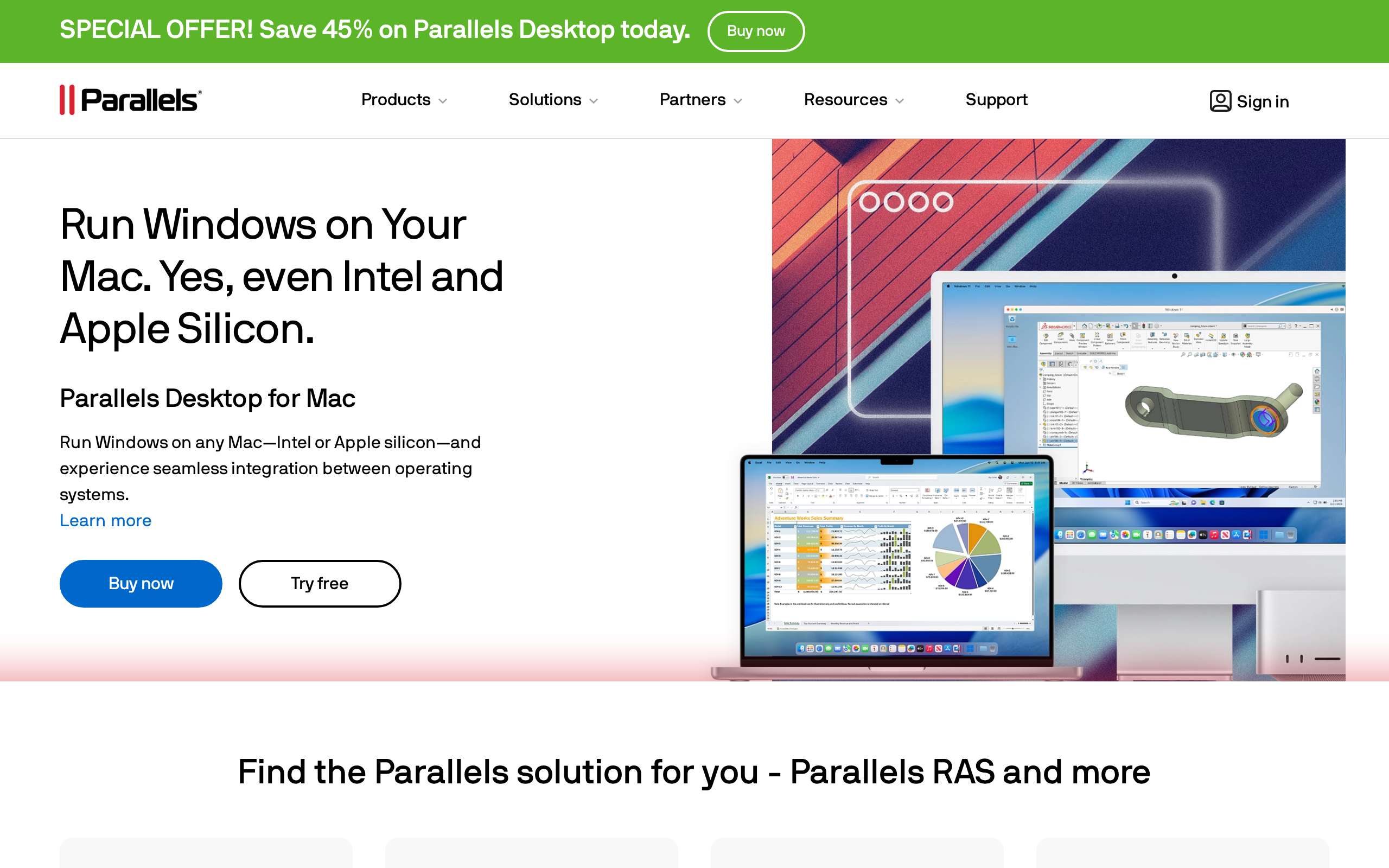
Parallels Desktop 26 sits at the local end of borrowed compute: the guest machine lives on your Mac, so compatibility work stays offline instead of crossing a network. The app has been officially released, is fully adapted to macOS 26 Tahoe, and supports Windows 11 25H. For users who still need legacy software, it also lets Apple silicon Macs run, develop, and test 32-bit Windows applications.
That compatibility story now reaches deeper into Apple silicon. Starting with 20.2, Apple silicon Macs gained early technical preview support for installing Intel x86_64 Windows systems in Parallels Desktop, and version 26 still marks that support as Preview. Parallels Emulator can run existing x86_64 Windows 10, Windows 11, Windows Server 2019/2022, and some Linux distributions with UEFI BIOS. This is the difference between hoping an app survives translation and keeping a whole Windows environment close to the metal.
The business angle is just as direct. Parallels Desktop 26 strengthens enterprise security and IT management features, and commercial and enterprise editions have passed a new SOC 2 Type II compliance certification. Only the enterprise edition will add centralized fine-grained virtual machine policy control in v26.1 and later versions. PD subscription users can check for the new version now, and appinn says the Standard and Pro editions use PD45 before August 25, 2026, while the business edition uses BIZ35 for a 65% discount.
Which kind of borrowed compute fits which workflow
- You need full GUI control over an existing Windows or macOS machine, including sharing access with a code and using it from multiple client devices. Use NetEase UU Remote. It supports controlling Windows and macOS devices, can be initiated from Windows, macOS, Android, iOS, and Android TV, and lets you share a device ID and verification code for remote assistance.
- The target machine is headless, or you need desktop-like work on a distant machine with better display handling, file movement, and peripheral-style features. Use NetEase UU Remote's desktop features rather than a browser-only tool. The ledger notes a virtual screen for headless computers, up to 3840 x 2160 virtualized resolution, image-quality modes, manual bitrate and frame-rate adjustment, cross-screen copy and paste, resumable batch file transfer, and a wireless secondary screen feature.
- Your task is automation, scripting, or shell work rather than mouse-driven GUI work, and you are comfortable with a sandboxed execution environment. Use ChatGPT web Work mode with Skills. The sources say Work runs in a cloud sandbox execution environment, that Skills can be uploaded into the web version, and that tasks can keep running even when the computer is turned off when combined with scheduled tasks on the web version.
- You want a Linux-like terminal on an iPhone or iPad for package installs, SSH, and file editing, not a full desktop VM. Use iSH ARM64. It ports Alpine Linux to iOS, provides a terminal close to a real Linux environment on iPhone and iPad, and supports installing git, ffmepg, connecting to SSH servers, and editing files.
- You need a full Windows environment on a Mac, especially for testing Windows software or running older Windows workloads locally. Use Parallels Desktop 26. The sources say it is officially released, fully adapted to macOS 26 Tahoe, supports Windows 11 25H, and can run, develop, and test 32-bit Windows applications on Apple silicon Macs; Intel x86_64 Windows support on Apple silicon is still marked as Preview.
How to choose the lightest environment that still fits the task
NetEase UU Remote is the clearest fit when the task still needs a live screen. It can share a device ID and verification code for remote assistance, it can set that code as fixed, and it can virtualize a screen for headless machines at up to 3840 x 2160 resolution. The control layer also matters: the app supports manual bitrate and frame-rate adjustment, with a maximum refresh rate of 144 Hz, while a user report on sspai said latency stayed within 100 ms during busy weekday daytime network periods. That makes it the borrowed computer for interactive work that still behaves like a desktop.
It also reaches into the machine itself. On Windows controlled devices, NetEase UU Remote supports cross-screen copy and paste, batch file transfer, resumable transfer, privacy mode, and port mapping without a public IP address or extra network setup. The catch is scope. The port-mapping feature currently supports only Windows controlled devices, not macOS, so the cleanest choice is often the one with the fewest platform surprises.
Cloud sandbox tools sit on the other end of the tradeoff. In woshipm's account, ChatGPT web Work mode runs in a cloud sandbox execution environment, and scheduled tasks can keep running even when the computer is turned off. The author's Plus account got a Linux container with 4-core CPU, 4 GB memory, about 60 GB temporary disk, and no GPU. Skills are stored inside the sandbox at /root/.codex/skills/remote-skills, and the final result is a compressed package that can be downloaded to the local computer. That is a good fit for isolated automation, not for a full desktop.
iSH ARM64 is the lighter mobile option. appinn says it brings an environment close to a real Linux terminal on iPhone and iPad, with SSH and file editing. Parallels Desktop 26 is the local VM choice on Mac: it is fully adapted to macOS 26 Tahoe, supports Windows 11 25H, keeps Intel x86_64 Windows installation on Apple silicon as Preview, and lets Apple silicon Macs run, develop, and test 32-bit Windows applications. It also carries SOC 2 Type II for commercial and enterprise editions, while centralized fine-grained VM policy control is reserved for enterprise in v26.1 and later.
Borrowed-compute tools across remote desktop, cloud sandbox, iPhone Linux, and Mac virtualization
| Dimension | NetEase UU Remote | ChatGPT web Work / Codex / Skills | iSH ARM64 | Parallels Desktop 26 |
|---|---|---|---|---|
| What kind of compute it borrows | Remote control of Windows and macOS devices; also cloud gaming computers | Cloud sandbox execution environment for Work mode | A Linux environment on iPhone and iPad via Alpine Linux | A Windows VM / emulator on Apple silicon Macs |
| Primary user-facing model | Full GUI remote desktop plus remote assistance | Chat plus Work mode, with Skills running in a sandbox | Terminal close to a real Linux environment | Local virtualization for running Windows applications |
| Where it runs from | Controlling device can be Windows, macOS, Android, iOS, or Android TV | ChatGPT web version; Work can run locally or in the cloud | iPhone and iPad | macOS 26 Tahoe on Mac |
| Access / setup style | Device ID and verification code; lightweight client does not require installation or login | Skills can be created in three ways and uploaded from a computer | Installed through a TestFlight link | PD subscription users can check for the new version now |
| Command-line / automation | Built-in terminal in the client and a CLI tool | Skills, scheduled tasks on the web version, and cloud sandbox execution | Supports git, ffmepg, SSH servers, and editing files | Not covered |
| GUI / screen capabilities | Virtual screen for headless computers up to 3840 x 2160, multiple-screen management, wireless secondary screen, HDR when both ends support it | Not covered | Not covered | Runs Windows 10, Windows 11, Windows Server 2019/2022, and some Linux distributions with UEFI BIOS |
| Performance / resource details | Manual bitrate and frame rate adjustment; maximum refresh rate of 144 Hz | Author's Plus account had a sandbox instance with 4-core CPU, 4 GB memory, about 60 GB temporary disk, and no-GPU Linux container | Not covered | Not covered |
| File movement / persistence | Cross-screen copy and paste and batch resumable file transfer on Windows controlled devices | Final result is a compressed package downloadable directly to the local computer from the sandbox | Editing files is supported | Not covered |
| Device-specific extras | Privacy mode can turn off the display or show a privacy screensaver; port mapping works without a public IP address or extra network configuration, but only for Windows controlled devices | Using Skills in Work mode can avoid consuming Codex weekly limits and can keep tasks running even when the computer is turned off | Ports Alpine Linux to iOS and provides a terminal close to Linux | Supports Windows 11 25H, strengthens enterprise security and IT management features, and adds Preview support for Intel x86_64 Windows on Apple silicon Macs |
| Pricing / discount / limits | Cloud computers come with configurations from GTX 1660 Super to RTX 4070 Ti and RTX 5070; cloud storage sizes of 100 GB, 200 GB, 500 GB, and 1 TB | Plus account details are mentioned, but pricing is not disclosed in sources | Not disclosed in sources | 55% off coupon code PD45 for Standard and Pro editions until August 25, 2026; BIZ35 gives a 65% discount for Business edition |
If your team is standardizing on Parallels Desktop, check which build you are actually on. The Apple silicon path for Intel x86_64 Windows is still Preview in version 26.
According to appinn, that matters because the product is moving in two different directions at once: Parallels Desktop 26 adds support for running, developing, and testing 32-bit Windows applications on Apple silicon Macs, while Parallels Emulator can handle existing x86_64 Windows 10, Windows 11, Windows Server 2019/2022, and some Linux distributions with UEFI BIOS. PD subscription users can check for the new version now, but only the enterprise edition gets centralized fine-grained virtual machine policy control in v26.1 and later versions. If compliance is part of your workload, the commercial and enterprise editions have already passed SOC 2 Type II.
For readers outside China
- Availability: The ledger does not clearly state availability outside China for NetEase UU Remote or the cloud computer service. iSH ARM64 is installable through a TestFlight link. Parallels Desktop 26 is officially released. ChatGPT web Work mode and Codex capabilities are discussed as web features, but regional availability is not disclosed in sources.
- Pricing: NetEase UU Remote's cloud computer service is described with configurations from GTX 1660 Super to RTX 4070 Ti and RTX 5070, and cloud storage sizes of 100 GB, 200 GB, 500 GB, and 1 TB; no prices are disclosed in sources. Parallels Desktop 26 has a 55% off coupon code on its official website: PD45 for Standard and Pro, with a deadline of August 25, 2026, and BIZ35 for Business to get a 65% discount. The ledger does not disclose pricing for iSH ARM64 or ChatGPT web Work mode.
- Closest Western equivalents: NetEase UU Remote: TeamViewer, AnyDesk, Chrome Remote Desktop; ChatGPT web Work mode with Skills: a cloud sandbox or hosted automation environment such as Replit, GitHub Codespaces, or a managed agent workspace; iSH ARM64: a local terminal emulator or lightweight Linux-on-mobile environment; Parallels Desktop 26: VMware Fusion or other local desktop virtualization tools
- Data residency: NetEase UU Remote includes a cloud computer service and a remote-control service, but the ledger does not disclose data-residency, retention, or hosting region details. ChatGPT web Work mode runs in a cloud sandbox execution environment, but the sources do not specify where that sandbox is hosted or how data is stored. Parallels Desktop is local virtualization on the user's Mac, so compute stays on-device, but the ledger does not provide any additional storage or telemetry details. iSH ARM64 is local to iPhone or iPad, and the sources do not disclose any server-side data residency.
Sources
- sspai App+1 | 免费、多功能的远程控制新选择:网易 UU 远程 https://sspai.com/post/112405
- woshipm OpenAI整合Codex能力,ChatGPT网页版正在变成云端AI电脑 https://woshipm.com/ai/6435958.html
- appinn iSH ARM64 - 在 iOS 上运行 Alpine Linux 命令[TestFlight] https://appinn.com/ish-arm64-ios
- appinn Parallels Desktop 26 最新优惠码[截止26年8月25日] https://appinn.com/parallels-desktop-26
The evidence: 57 facts from 4 Chinese articles
Each line below was extracted from the article it sits under, in Chinese, before any of this was written. The writing is done from these and never from the source prose - that separation is structural, not a promise. How we work.
appinniSH ARM64 – 在 iOS 上运行 Alpine Linux 命令[TestFlight]
- iSH ARM64 is an open-source project.
- iSH ARM64 ports Alpine Linux to iOS.
- iSH ARM64 lets users run a terminal that is close to a real Linux environment on iPhone and iPad.
- iSH ARM64 supports installing git.
- iSH ARM64 supports installing ffmepg.
- iSH ARM64 supports connecting to SSH servers.
- iSH ARM64 supports editing files.
- iSH ARM64 can be installed through a TestFlight link.
- To use the Alpine Linux repositories, the following line can be written to /etc/apk/repositories: echo https://dl-cdn.alpinelinux.org/alpine/v3.19/main > /etc/apk/repositories
- To use the Alpine Linux repositories, the following line can be appended to /etc/apk/repositories: echo https://dl-cdn.alpinelinux.org/alpine/v3.19/community >> /etc/apk/repositories
- After updating apk, software can be installed with apk add git.
- The code repository is on GitHub.
appinnParallels Desktop 26 最新优惠码[截止26年8月25日]
- Parallels Desktop 26 has a 55% off coupon code on its official website.
- The coupon code for the Standard edition and Pro edition is PD45.
- The coupon code deadline is August 25, 2026.
- The business edition can use the BIZ35 coupon code to get a 65% discount.
- Parallels Desktop 26 has been officially released.
- Parallels Desktop 26 is fully adapted to macOS 26 Tahoe.
- Parallels Desktop 26 supports Windows 11 25H.
- Parallels Desktop 26 strengthens enterprise security and IT management features.
- Starting with 20.2, Apple silicon Macs gained early technical preview support for installing Intel x86_64 Windows systems in Parallels Desktop.
- In version 26, support for installing Intel x86_64 Windows systems on Apple silicon Macs is still marked as Preview.
- Parallels Desktop 26 lets Apple silicon Macs run, develop, and test 32-bit Windows applications.
- Parallels Emulator can run existing x86_64 Windows 10, Windows 11, Windows Server 2019/2022, and some Linux distributions with UEFI BIOS.
- PD subscription users can check for the new version now.
- Commercial and enterprise editions have passed a new SOC 2 Type II compliance certification.
- Only the enterprise edition will add centralized fine-grained virtual machine policy control in v26.1 and later versions.
sspaiApp+1 | 免费、多功能的远程控制新选择:网易 UU 远程
- NetEase UU Remote supports controlling Windows and macOS devices.
- NetEase UU Remote also supports initiating remote control from Windows, macOS, Android, iOS, and Android TV.
- NetEase UU Remote lets a user share a device ID and verification code to start remote assistance, and the verification code can be set as a long-term fixed code.
- NetEase UU Remote provides a virtual screen feature for headless computers, and the author's machine can virtualize a screen at up to 3840 x 2160 resolution.
- In the Control Center under Image Quality, NetEase UU Remote offers automatic, original image, high definition, and clear quality modes.
- NetEase UU Remote supports manual adjustment of bitrate and frame rate, with a maximum refresh rate of 144 Hz.
- When both the controlling device and the controlled device support HDR, NetEase UU Remote can enable HDR effects.
- For Windows controlled devices, NetEase UU Remote supports cross-screen copy and paste and a file transfer tool similar to FTP that supports batch transfer and resumable transfer.
- NetEase UU Remote includes a controlled-end privacy mode that can either turn off the display or show a privacy screensaver.
- NetEase UU Remote offers a lightweight client that does not require installation or login and shows the device ID and verification code immediately after launch.
- NetEase UU Remote supports multiple-screen management, including showing all controlled screens, single-screen mode, and split-screen mode.
- NetEase UU Remote provides a wireless secondary screen feature that can turn a phone or tablet into an extended display for a Windows PC.
- NetEase UU Remote provides two command-line remote-control methods: a built-in terminal in the client and a CLI tool.
- NetEase UU Remote offers port mapping without a public IP address or extra network configuration, but the feature currently supports only Windows controlled devices and not macOS.
- NetEase UU Remote's cloud device service offers gaming cloud computers with configurations from GTX 1660 Super to RTX 4070 Ti and RTX 5070.
- The cloud computer service supports cloud storage sizes of 100 GB, 200 GB, 500 GB, and 1 TB.
woshipmOpenAI整合Codex能力,ChatGPT网页版正在变成云端AI电脑
- OpenAI has integrated Codex capabilities into ChatGPT's web version.
- Codex used to have three modes: chat, Work, and Codex.
- ChatGPT now has two modes: Chat and Codex, and the ChatGPT mode is further split into Chat and Work.
- Chat mode is pure web, while Work can run either locally or in the cloud.
- The web version's plugin system and Skills now look almost identical to Codex.
- The web version's Skills support three creation methods.
- The Skills editor supports uploading files as attachments and improving the Description field.
- Using Skills in ChatGPT's web Work mode can avoid consuming Codex weekly limits.
- Using Skills in ChatGPT's web Work mode can keep tasks running even when the computer is turned off, when combined with scheduled tasks on the web version.
- Work mode runs in a cloud sandbox execution environment.
- The author's Plus account was assigned a sandbox instance with 4-core CPU, 4 GB memory, about 60 GB temporary disk, and no-GPU Linux container.
- The author uploaded a local Skills package called z-web-pack to the web version.
- The Skills package is stored at /root/.codex/skills/remote-skills inside the sandbox.
- The final result is a compressed package that can be downloaded directly to the local computer from the sandbox.