
Lovart is trying to make design work persist beyond the generated image. ifanr describes a major update aimed at designers' work before and after generation: its Inspiration Collection browser extension can pull material from Pinterest, Xiaohongshu, Taobao, Amazon, and Instagram into a Lovart account. It can sort images as it collects them, or save every image on a page with one click.
The agent also reaches outward during a project. ifanr says Lovart can search the web for supplementary references, including Pinterest and Google Images, while woshipm frames it as a Design Agent rather than a basic image generator. Its Text Edit feature recognizes text inside an image and opens an input box for changing it. The larger question is whether one integrated agent can carry creative work from reference gathering through revision, or whether that promise hides the handoff problems that matter most.
From image generation to project continuity
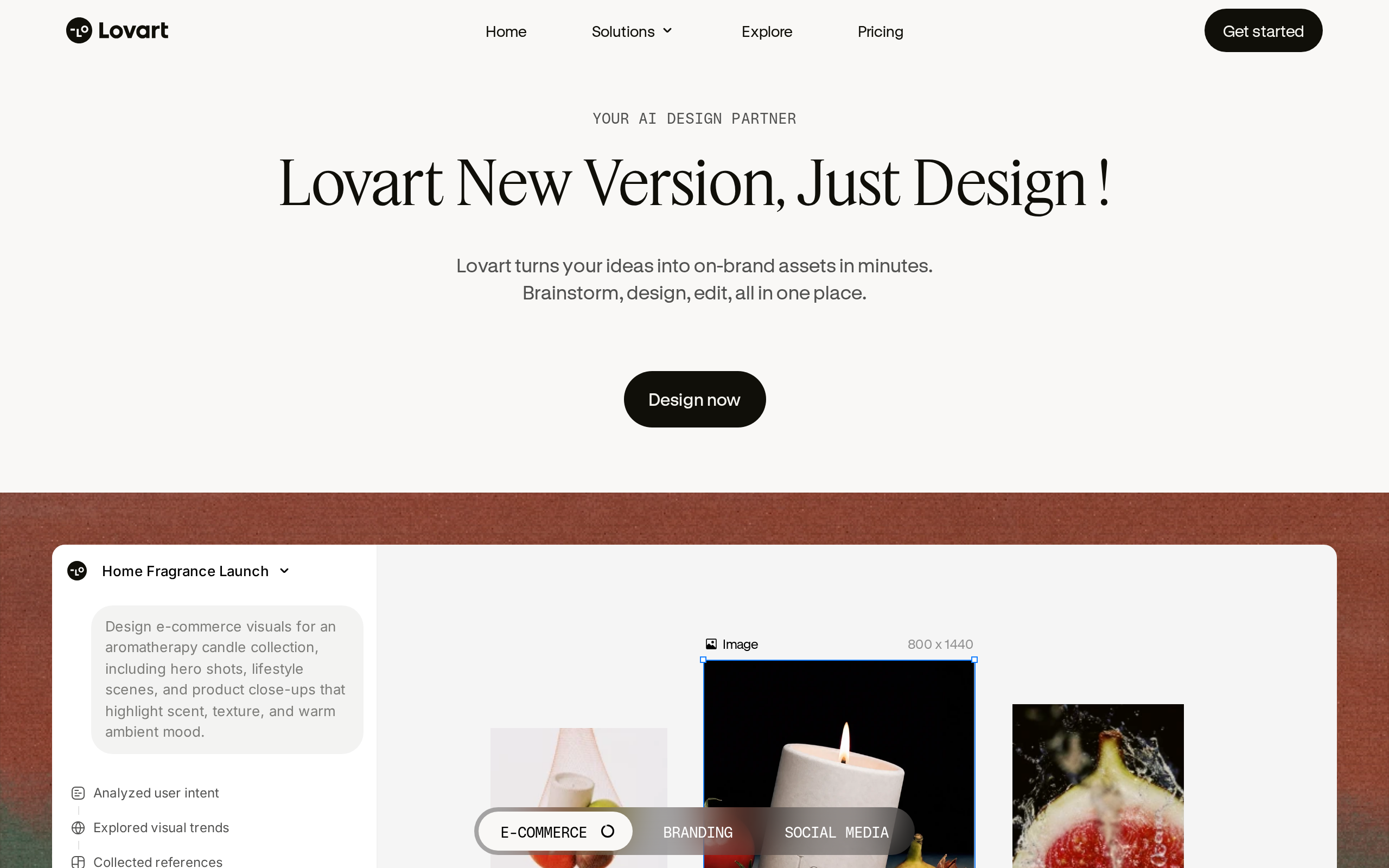
Lovart frames design work as a continuing project rather than a single image request. According to ifanr, its major update concentrates on designers' work before and after generation, extending the product beyond the moment an asset first appears. That shift starts with reference gathering: the Inspiration Collection browser extension sends material from Pinterest, Xiaohongshu, Taobao, Amazon, Instagram, and other websites into a Lovart account.
- 1971Herbert Simon writes that abundant information creates a scarcity of attention
- 2019Kiki takes charge of Jianying
- early 2026Kiki leaves a major technology company and founds OJO
The collection step is meant to preserve inputs before they disappear into a prompt.
The extension can categorize images as it collects them, and it can save every image on a page with one click, ifanr reports. During project generation, Lovart can also search for supplementary material on the web, including Pinterest and Google Images. The product therefore treats references as working project material: collected early, organized in the account, then expanded when the initial brief needs more visual evidence.
That continuity carries into revision and presentation. woshipm describes Lovart as a Design Agent rather than a basic image-generation tool, pointing to features that operate on material after creation. Its Text Edit function recognizes text elements within an image and exposes an input box for changing them. A generated visual is not necessarily the final state.
Lovart also turns URL content into PPT material. It can parse a link, identify a webpage's structure, extract its content, and build a PPT from that extracted material, according to woshipm. The practical promise is a single workspace that moves from references to generated assets, then to edits and a presentation-ready output.
Lovart and OJO: two approaches to AI design workflows
| Dimension | Lovart | OJO |
|---|---|---|
| Product framing | Positioned as a Design Agent rather than a simple image-generation tool | An Agent workspace for design |
| Workflow model | A one-stop workflow spanning reference collection, generation, editing, and export | Users assemble design teams by freely combining different Agents and Skills |
| Reference intake | Browser extension collects materials from Pinterest, Xiaohongshu, Taobao, Amazon, Instagram, and other websites; can also search Pinterest and Google Images during generation | not covered |
| Skill system | Marketplace contains more than 100 Skills; users can package production workflows as reusable Skills | Offers hundreds of Skills that users can add to an Agent team during a design process |
| Editing and post-processing | Text editing, layer separation, background removal, vector conversion, multi-angle generation, and clothing mockups | not covered |
| Handoff and output | Can export PSD; Max mode supports webpage and PPT output formats | Can save outputs locally or send them to Codex |
| Model information | Uses the NanoBanana Pro model as its underlying model; calls Seedance 2.0 for image-to-video GIF creation | not covered |
| Commercial tiers | Basic, Pro, and Max tiers balance generation speed and output quality; prices not disclosed in sources | not covered |
| Design philosophy | Praised by one author as enabling AI to complete design work rather than merely generate images | Kiki argues that AI products attempting to be All-in-one from the start will inevitably fail |
| Stated quality concern | not covered | Kiki says Codex-generated images were difficult to use for high-quality production in recent testing |
The handoff test is more demanding than a prompt
A production handoff begins where image generation stops. Lovart's Max mode supports 4K image generation and 1080P video generation, alongside webpage and PPT output formats, according to ifanr. Those formats matter because a design often has to leave the canvas and enter a presentation or a web deliverable.
The stronger claim is editability. ifanr reports that Lovart can split an image into separate layers and export the result as a PSD file. woshipm describes Text Edit as recognizing text within an image and exposing an input box, while Edit Elements separates visual components into layers for individual selection and modification.
That is closer to a working file than a flattened result. Lovart also offers background removal, multi-angle generation, one-click vector conversion, and clothing mockups, according to ifanr. It can create PPT content from a URL link after recognizing and understanding the linked content, woshipm says.
Still, the documented functions do not settle the handoff test. They do not establish how faithfully PSD layers preserve a designer's intended structure, how typography survives text edits, how accurately vector conversion retains forms, or how color holds across outputs. Nor do they answer version-control questions when a file moves between people or tools.
woshipm's author argues that these editing features let AI complete design work rather than only generate images, and calls the AI PPT editing approach the best they have experienced. That judgment captures the appeal. The practical standard is harsher: can the exported work remain editable and dependable after approval changes?
Review work can replace generation work
Faster generation shifts effort rather than removing it. Lovart can produce three visual directions for an AI companion app's New Year launch screen in a 9:16 ratio, according to woshipm. That gives a designer options quickly, but it also creates a judgment task: which direction fits the brief, which details need correction, and which version can be approved without reopening the decision later?
More output can mean more review.
ifanr's author argues that AI shortens many stages without ensuring better work in less time. The bottleneck can move from making an asset to comparing near-misses, spotting weak visual choices, and retaining the reasoning behind a chosen direction. Herbert Simon framed the underlying constraint in 1971: when information becomes abundant, attention becomes scarce. Design teams therefore need a way to preserve decisions while they assess AI output, rather than treating each generated image as an isolated result.
Quality makes that review burden sharper. Kiki tells woshipm that images generated by Codex were difficult to use for production when high quality was required, and argues that code models may trade visual aesthetics for correctness. A plausible output is not automatically a usable one. The application's role, Kiki argues, is to orchestrate models for users in vertical domains so they can reach the models' upper-limit output quality. That leaves designers responsible for direction, correction, and approval-the work generation speed cannot settle.
OJO rejects the one-stop design agent
Lovart treats reusable production methods as items that can live inside its Skill marketplace. According to ifanr, the marketplace contains more than 100 Skills for design effects. The official team contributes Skills, and so do community creators. Its catalogue covers five stated areas: marketing materials, brand visuals, social-media content, product design, and creative styles.
Users can turn their own production workflows into Lovart Skills and bring them back for future work.
That model makes a workflow reusable by packaging it. OJO starts from a different premise. According to woshipm, OJO is meant to let people assemble a design team by freely combining different Agents and Skills. It offers hundreds of Skills that can be added to an Agent team during a design process, rather than limiting the team to a single preset collection of capabilities.
The Agent is the unit that gives this assembly some structure. Kiki says each OJO Agent has basic constraints: what it is good at, and the domain in which it operates. Skills can therefore be added around Agents with defined roles. The distinction is not a rejection of reuse; Lovart also supports reuse when users package production workflows as Skills.
The disagreement is over where the workflow should be fixed. Lovart's marketplace provides reusable Skills across its stated categories. OJO's approach, as woshipm describes it, is to combine Agents and Skills while the design process is underway. Kiki argues that AI products built as All-in-one from the start will inevitably fail. Under that view, a design team should be composed for the task instead of accepted as a predetermined all-in-one system.
Choosing between Lovart's integrated workflow and OJO's modular-agent approach
- You need to turn a scattered reference-gathering process into a single design workspace. Use Lovart when collecting and organizing references is part of the job. Its Inspiration Collection browser extension can collect material from Pinterest, Xiaohongshu, Taobao, Amazon, Instagram, and other websites; it can categorize images and save all images on a page with one click. Do not choose it solely for reference collection if your required sites or extension availability are not covered by the source material.
- You need production-ready handoff rather than a standalone generated image. Favor Lovart for workflows that require editable or deliverable outputs: it can split images into layers and export PSD files, while Max mode supports webpage and PPT output formats. Its text editing, editable image elements, background removal, vector conversion, mockups, and image-to-GIF workflow make it the more directly documented option for post-generation design work.
- You are producing repeated campaign, brand, social, product, or style work and want to preserve a proven workflow. Use Lovart Skills when repeatability matters. The marketplace contains more than 100 Skills across marketing materials, brand visuals, social-media content, product design, and creative styles, and users can package their own production workflows as Skills. This is less suitable if your priority is composing a changing team of narrowly constrained agents rather than reusing a packaged workflow.
- A fixed end-to-end creative workflow does not fit the work, and you want to assemble specialized agents during a project. Consider OJO's modular approach. OJO is intended to let users combine different Agents and Skills into design teams, offers hundreds of Skills during the design process, and describes its Agents as having defined strengths and domains. This recommendation reflects OJO founder Kiki's view that all-in-one AI products will fail; it is a product philosophy, not an independently established result.
- You need to avoid creating more review work than the team can absorb. Treat generation as only one stage of the workflow. Lovart can create multiple visual directions and add web-found materials, but the source material also warns that rapidly increasing AI output can make selection and review a new burden. Use its editing and workflow-preservation features to narrow decisions, rather than generating more alternatives without a review process.
Choose the workflow that survives approval
Approval starts with provenance. Ask where references entered the project, who can inspect them, and what the agent may add on its own. According to ifanr, Lovart's Inspiration Collection extension can pull material from Pinterest, Xiaohongshu, Taobao, Amazon, Instagram, and other websites into a Lovart account. It can also search the web during generation, including Pinterest and Google Images. That convenience makes source review part of the design brief.
Confidential material needs an equally explicit path.
Then test whether the work can survive the next assignment. Lovart lets users package production workflows as reusable Skills, according to ifanr, so a team can judge whether its own decisions become repeatable rather than remaining buried in a single project. Check editability before celebrating a finished image: Lovart can separate an image into layers and export a PSD file. For work that must move elsewhere, woshipm says OJO can save outputs locally or send them to Codex.
The final choice is about where judgment should sit. Lovart is positioned as a Design Agent rather than a simple image generator, woshipm notes. An integrated agent fits work that benefits from one retained project context; a modular team fits work where each handoff needs separate control. Kiki's argument in woshipm is that applications help people in vertical domains orchestrate models toward their highest-quality output, rather than being replaced by models. Choose the arrangement that reduces approval work, preserves editable decisions, and gives reviewers a clear route to inspect what happened.
Treat an all-in-one promise as a hypothesis, not a buying criterion. Run a real production task that demands high-quality imagery, then inspect where the tool needs correction; Kiki writes in woshipm that Codex-generated images were difficult to use in such work.
Ask what the application adds beyond the model. For a defined design domain, it should orchestrate models toward their output limit rather than merely repackage an existing scenario with AI. Keep the workflow narrow enough to expose failures quickly, and change direction when the experiment is wrong. A wrapper can be useful for collecting real user signals, according to Kiki, but those signals should decide whether a focused tool earns further use. Watch modular alternatives closely: fixed all-in-one products may constrain the work they claim to simplify.
For readers outside China
- Availability: Lovart's updated version is open to all users, and users in China can access it directly at lovart.art. The source material does not say whether Lovart is available outside China, nor does it state OJO's geographic availability.
- Pricing: Lovart offers Basic, Pro, and Max tiers intended to balance generation speed and output quality. Prices are not disclosed in sources. OJO pricing is not disclosed in sources.
- Closest Western equivalents: No Western equivalent is identified in the source material. Lovart is documented as a design-agent workflow that combines reference collection, generation, editing, PSD export, PPT generation, webpage output, and reusable Skills.; No Western equivalent is identified in the source material. OJO is documented as an agent workspace for assembling design teams from Agents and Skills, with outputs saved locally or sent to Codex.
- Data residency: The sources do not say where Lovart or OJO stores user data, references, generated assets, uploaded images, or URL-derived content. They also do not disclose enterprise data-residency, retention, or cross-border-transfer policies.
Sources
- 36kr 这款Agent,想做千万毕业生的"求职搭子" | 水下项目 https://36kr.com/p/3964198334438921
- ifanr Lovart 悄悄大更新,这一次轮到 AI 适应设计师了 https://ifanr.com/1677574
- woshipm 老板让我下班前出 3 套产品方案,幸好我偷藏了这个"作弊神器" https://woshipm.com/ai/6438911.html
- woshipm 对谈前剪映负责人KiKi:「All in One」是个伪命题,创业别用AI新瓶装旧酒 https://woshipm.com/ai/6455456.html
The evidence: 44 facts from 4 Chinese articles
Each line below was extracted from the article it sits under, in Chinese, before any of this was written. The writing is done from these and never from the source prose - that separation is structural, not a promise. How we work.
36kr这款Agent,想做千万毕业生的“求职搭子” | 水下项目
- Wang Xiangdao is the founder and CEO of AI recruitment digital solution provider MoSeeker.
- MoSeeker plans to launch an AI recruitment agent called Zhiya (职芽) for young job seekers, including new graduates, in the near future.
- Zhiya is designed to help users optimize resumes, analyze job-fit levels, simulate interviews, and recommend positions.
- Zhiya is in public beta on iOS, and an Android version is planned to launch within the year.
- MoSeeker was founded in 2014 and is headquartered in Shanghai.
- After a user uploads a resume, Zhiya automatically extracts information on the user's skills, experience, and background and provides optimization suggestions.
- For AI mock interviews, Zhiya generates interview questions in real time for a selected role, uses a digital human as the mock interviewer, and produces an assessment report and improvement suggestions afterward.
- A 2026 Campus Recruitment White Paper released by 51job in July found that 65.3% of companies had introduced AI tools into campus recruitment in 2025, up 12.7 percentage points from 2024.
ifanrLovart 悄悄大更新,这一次轮到 AI 适应设计师了
- Lovart has released a major update focused on optimizing designers' workflows before and after generation.
- Lovart introduced an Inspiration Collection browser extension that can collect materials into a Lovart account from Pinterest, Xiaohongshu, Taobao, Amazon, Instagram, and other websites.
- On supported websites, hovering over an image displays a "Save to Lovart" button.
- Lovart's Inspiration Collection extension can categorize images while collecting them and can save all images on a page with one click.
- Lovart can automatically search the web for supplementary materials during project generation, with Pinterest and Google Images included as search sources.
- Lovart introduced Skills for design effects, and its Skill marketplace contains more than 100 Skills.
- Lovart Skills cover five categories: marketing materials, brand visuals, social-media content, product design, and creative styles.
- Lovart Skills are contributed by both the official team and community creators.
- Users can package their own production workflows as Lovart Skills for reuse in future work.
- Lovart offers Basic, Pro, and Max tiers that let users balance generation speed and output quality.
- Lovart's Max mode supports 4K image generation, 1080P video generation, and webpage and PPT output formats.
- Lovart can convert an image into an animated image on the canvas by calling the Seedance 2.0 model to generate a video and then converting it to GIF format.
- Lovart can split an image into separate layers and export it as a PSD file.
- Lovart includes post-processing functions such as background removal, multi-angle generation, one-click vector conversion, and clothing mockups.
- In 1971, Herbert Simon wrote in "Designing Organizations for an Information-Rich World" that abundant information causes a scarcity of attention.
- The new version of Lovart is open to all users, and users in China can access it directly at lovart.art.
woshipm老板让我下班前出 3 套产品方案,幸好我偷藏了这个“作弊神器”
- Lovart uses the NanoBanana Pro (NBP) model as its underlying model.
- Lovart has accumulated 10 million professional users in six months.
- Lovart's ARR reached $80 million.
- Lovart can generate three different visual directions for an AI companion app New Year launch screen in a 9:16 ratio.
- The example prompt for Lovart requests NanoBanana Pro image quality, 8K resolution, and commercial-photography quality.
- Lovart's Text Edit feature can recognize text elements in an image and provide a text input box for editing them.
- Lovart's Edit Elements feature can separate image elements into layers so users can select and modify individual elements.
- Lovart's Mockup feature can place a company logo into an image and automatically adapt it to the angle of the target object.
- Lovart can create PPT content by recognizing and understanding the content of a URL link.
- Lovart can parse a URL, understand a webpage's structure, extract its content, and turn the extracted material into a PPT.
- The example prompt asks Lovart to create a PPT about the 2025 employment situation for AI product managers and 2026 market trends.
- The example prompt asks Lovart to create a PPT introducing NIO based on https://www.nio.cn/.
woshipm对谈前剪映负责人KiKi:「All in One」是个伪命题,创业别用AI新瓶装旧酒
- Kiki spent nine years at ByteDance.
- Kiki was deeply involved in Qingyan Camera reaching 15 million DAU.
- Kiki took charge of Jianying in 2019.
- Kiki was involved in Jianying growing from zero to more than 100 million users worldwide.
- Kiki participated in Jianying's aggressive adoption of AI and its path to profitability.
- In early 2026, Kiki left a major technology company and founded OJO, an Agent workspace for design.
- OJO offers hundreds of Skills that users can add to an Agent team during a design process.
- OJO can save outputs locally or send them to Codex.