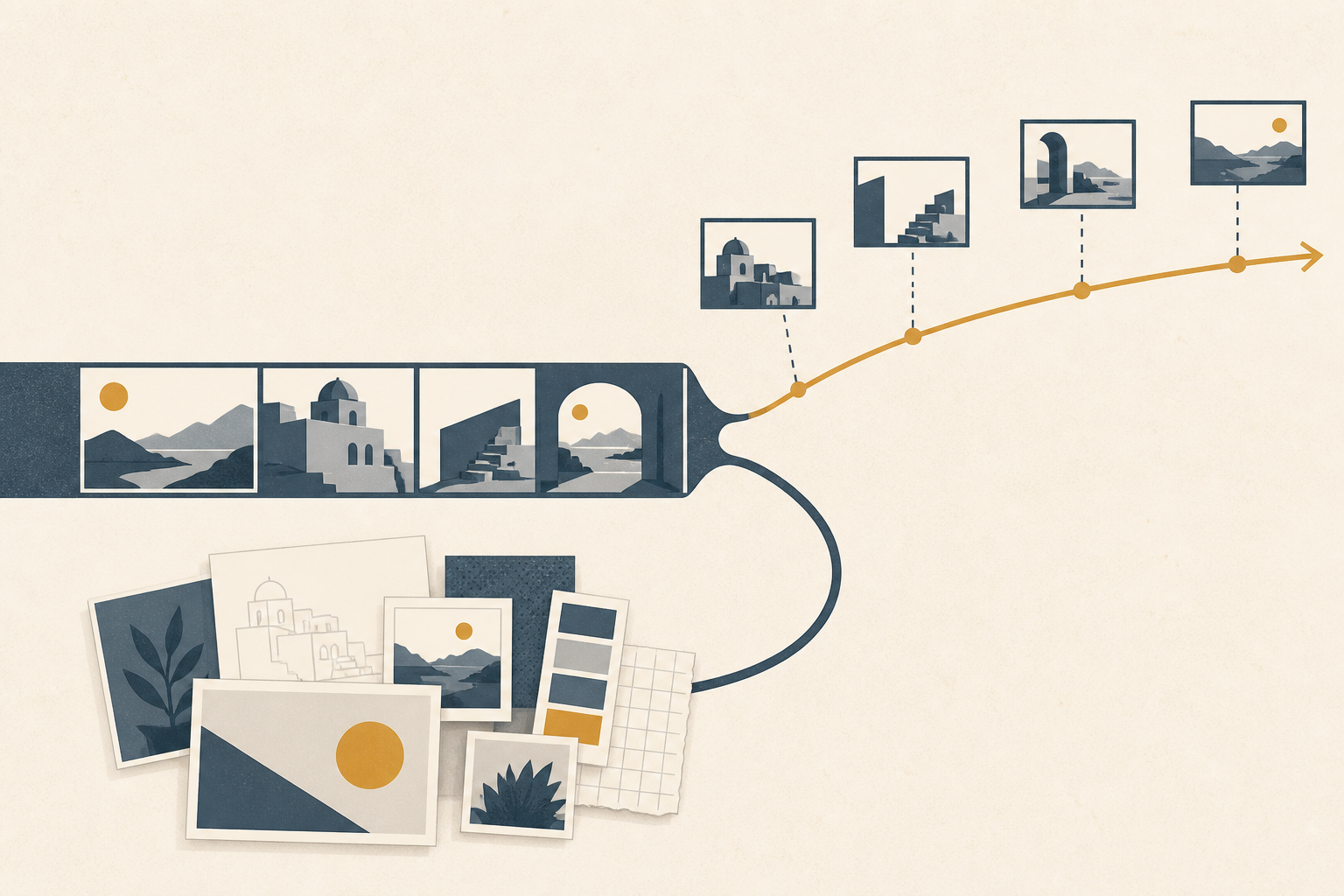
LibTV is turning Seedance 2.5 prompts into production artifacts. Reference breakdowns now sit before generation rather than after it. So do organized assets, clip modifications, plus shot composition steps. ifanr reports that LibTV built a new Harness for Seedance 2.5 after the upgrade, and the useful shift is where control moves. The creator is no longer asking a model to infer everything from a block of text.
The work becomes visible on a canvas.
AutoLink shows the pattern clearly.
According to ifanr, it understands a script; it finds the matching characters on the canvas; it also finds the matching scenes. Then it inserts the needed props into the corresponding prompts.
That matters because AI video failure is often a planning failure disguised as a rendering problem. LibTV can break a reference video into style, keyframes, camera movement, plus rhythm. It can also extract sound, then organize those results into reusable asset groups. geekpark describes Shot Breakdown as a way to produce and retrieve reference materials. Its analysis can return storyboards. It can also return motion. Music is part of the result as well. The synthesis is simple: treat these tools as control layers, not prettier prompt boxes.
From prompt text to production artifacts
LibTV's Seedance 2.5 workflow is useful because it changes what a prompt is. Instead of treating text as the whole instruction layer, it turns intent into pieces that can be inspected before rendering: a reference breakdown, organized assets, clip modification steps, plus shot composition, according to ifanr. That makes the prompt less like a blank box and more like the final assembly point for decisions already made elsewhere.
The key move is decomposition.
A reference video can be broken into style and keyframes. Camera movement is separated out. So are rhythm and sound, then organized into reusable asset groups, ifanr reported. Woshipm describes the same frame-by-frame analysis as splitting reference videos into shots and keyframes. It also separates camera movement, rhythm, plus BGM. GeekPark's account narrows the output into storyboards and motion, with music handled alongside them, with Shot Breakdown designed to help creators produce and retrieve reference materials. The shared idea is simple: references stop being vague inspiration and become indexed production material.
AutoLink applies the same logic to scripts. Ifanr says it understands a script and finds the matching characters on the canvas. It also matches scenes and props, then inserts those assets into the corresponding prompts. GeekPark frames this as a fix for matching materials in AI video creation, while woshipm points to the same pressure when many materials are already present. The canvas becomes a structured source of truth, not a mood board sitting beside the generator.
That is why this is more than a nicer Seedance 2.5 front end. GeekPark's author argues that model capability sets the ceiling for video quality, while workflow determines efficiency. It also determines certainty and cost when realizing an idea. Woshipm's author draws the line similarly: Seedance 2.5 addresses model capability, while LibTV addresses product workflow. It integrates reference, generation, modification, plus delivery more tightly around the upgraded model.
Use LibTV when the failure is semantic
LibTV is most useful when the video model has understood the scene in a loose way but fails to keep meaning stable. The usual symptoms are character drift, the wrong prop in the right room, a style that changes between shots, or a small continuity error that ruins an otherwise usable cut.
AutoLink attacks that problem before generation. According to ifanr and geekpark, it reads the script, finds matching characters already placed on the canvas, then does the same for scenes or props before inserting those references into the right prompt positions. Woshipm describes the same feature as useful when the project has many materials, because the matching happens automatically instead of depending on the creator to remember each reference while writing prompts.
That changes what a prompt is doing.
It is no longer the only container for intent, because the canvas holds the character references. It also holds scene references or prop references. AutoLink turns those materials into prompt structure.
For semantic consistency, that matters more than a prettier sentence.
Shot Breakdown serves the other side of the same workflow: building reference material, then retrieving it. Geekpark says the feature is designed for producing or retrieving references, with 0 computing credits consumed. Ifanr says LibTV can break a reference video into style, keyframes, camera movement, rhythm, plus sound, then organize the results as reusable asset groups. Woshipm similarly describes frame-by-frame analysis that splits reference videos into shots, keyframes, camera movement, rhythm, plus BGM.
The point is reuse. A beauty ad can keep returning to the same visual anchors instead of asking the model to rediscover them from text. An animated short can do the same. So can a music video.
Repair also stays local. In APPSO's beauty advertisement test, according to ifanr, LibTV modified only the unsatisfactory shot rather than regenerating the whole video. Geekpark says LibTV preserves all shot nodes in a generated video, so creators can inspect clips segment by segment before refining them. Its clip reshoot feature is built to shrink the blast radius of a change: geekpark or woshipm both describe the case where only a selected 2-second part of a 30-second video needs to be reshot.
That is the semantic use case for LibTV. In ifanr's 88-second animated short film test, the system identified image assets on the canvas, split the storyboard, then generated anchor images plus video clips. When the user asks an Agent to adjust the style of an imagined world, LibTV can find related shots, then modify them together. Use it when the problem is consistency across meaning, not physical staging.
Use updream Previs Studio when the failure is spatial
updream Previs Studio matters when the missing instruction is not what happens, but where it happens. Chen Yuming's woshipm test paired updream's newly launched Previs Studio workflow with Seedance 2.5, then ran 3 tests from simple to complex: a character route, complex camera movement, and multi-camera switching.
The first test is the cleanest example. Chen compared a pure prompt with a white-model reference for a wounded swordsman running through a canyon along an S-shaped route. The prompt-only version understood the action: the character was dodging arrows. But, according to Chen, it did not fully execute the designed path.
The white-model version changed the job. After uploading one wide-angle image and one bird's-eye-view image, Chen generated a 3D white-model scene by selecting "insert into current Previs Studio." In that space, the mouse wheel handled zoom, the right mouse button moved the view, and the Q shortcut switched navigation view. Selecting the character and pressing G let him drag the character's position. Chen says the resulting movement direction, turning positions, and final stopping area basically matched the previs route.
That is the point of previs: it turns spatial intent into something the model can follow.
The second test made the same distinction with camera motion. The prompt asked for a 360° full orbit around a swordsman, a return behind the character, an upward pullback, and a bird's-eye-view ending. Chen says the pure prompt only made about half the orbit, while the white-model reference better matched the orbit direction and movement rhythm, and kept the character, ruined temple, and bamboo forest spatially steadier.
The third test pushed shot order. Chen asked for a 5-second video with 5 static camera positions and one cut every 1 second: frontal wide, rear-side medium, frontal close-up, side wide, and high-angle bird's-eye wide. The prompt-only version failed at the 4-second shot, replacing the required side wide shot with a mostly frontal wide shot.
So use whitebox previs earlier when the real problem is route, orbit, blocking, shot order, or camera position. Chen's rule is practical: when those requirements are clear, prioritize a white model over prompts alone. Efficiency claims around AI video, such as ifanr's report that some "Taiping Nian" shots were produced 3 to 10 times more efficiently than traditional CG, only matter if the shot can still be directed.
AI video control layers: prompt-only generation vs updream Previs Studio vs LibTV
| Dimension | Prompt-only generation with Seedance 2.5 | updream Previs Studio with Seedance 2.5 | LibTV with Seedance 2.5 |
|---|---|---|---|
| Primary control layer | Natural-language prompt | 3D white-model scene, character route, camera movement, and camera order | Reference breakdown, asset organization, AutoLink, clip modification, shot composition, and re-editable project structure |
| Main failure mode addressed | Can understand story intent but may not execute designed movement path or camera plan | Spatial execution: character routes, complex camera movement, and multi-camera switching | Semantic and production consistency: matching assets to scripts, reusing references, revising clips, and organizing long videos |
| Reference capacity or input structure | Seedance 2.5 supports up to 50 image, video, and audio references | User uploads scene reference images; Chen Yuming uploaded one wide-angle image and one bird's-eye-view image to generate the 3D white-model scene | Seedance 2.5 supports up to 50 image, video, and audio references; LibTV can break down a reference video into style, keyframes, camera movement, rhythm, and sound |
| Route control evidence | In the wounded-swordsman canyon test, the pure prompt version understood the story of dodging arrows but did not fully execute the designed movement path | In the same test, the white-model version made the character's movement direction, turning positions, and final stopping area basically correspond to the previs route | not covered |
| Camera movement evidence | In the orbit test, the pure prompt version only orbited around half a circle instead of completing a 360° orbit | The white-model reference version better matched the expected orbit direction and movement rhythm and kept the spatial relationship among the character, ruined temple, and bamboo forest more stable | LibTV can analyze camera movement from reference video and organize it into reusable asset groups |
| Multi-camera or shot-order evidence | In a 5-second test requiring 5 different static camera positions and one camera cut every 1 second, the pure prompt version failed at the 4-second shot | The third updream Previs Studio test focused on controlling multi-camera switching | LibTV identified image assets on the canvas, split the storyboard, and generated anchor images and video clips in an 88-second animated short film test |
| Editing and repair model | not covered | not covered | LibTV preserves all shot nodes in a generated video so creators can inspect, rework, and refine clips segment by segment; segment reshoot can reshoot only a selected 2-second segment when a 30-second video has an error |
| Long-video handling | Seedance 2.5 can directly generate 30-second videos | not covered | LibTV's Long Video Direct expands the single video generation length limit from 30 seconds to 5 minutes; APPSO's final long-video test extended the duration to 4 minutes 41 seconds |
| Asset-to-prompt matching | not covered | not covered | LibTV's AutoLink understands a script, finds corresponding characters, scenes, and props on the canvas, and inserts the assets into the corresponding prompts |
| Reference-video analysis | not covered | not covered | LibTV's Shot Breakdown provides three types of analysis results: storyboards, motion, and music; Shot Breakdown consumes 0 computing credits |
| Workflow recommendation from sources | Prompt-only should not be prioritized when a creator has clear requirements for character routes, camera movement, or camera order | Chen Yuming argues that when a creator has clear requirements for character routes, camera movement, or camera order, using a white model should be prioritized over relying only on prompts | GeekPark's author argues that model capability determines the ceiling of video quality, while workflow determines the efficiency, certainty, and cost of realizing creative ideas |
| Pricing disclosed in sources | not disclosed in sources | not disclosed in sources | LibTV launched a limited-time Seedance 2.5 benefit with a 42% discount on 720P generation points including reference video, as low as 0.4 yuan per second, 30 days of discounts for new and existing members, and up to 60 free generations; another source says Seedance 2.5 720p is offered at a limited-time 58% discount, with prices as low as 0.4 yuan per second |
Long generation is an editable workspace, not a finished take
The apparent gap between LibTV's Long Video Direct and APPSO's test result is less a contradiction than a clue about the workflow. According to geekpark, Seedance 2.5 moved single-generation length from 15 seconds to 30 seconds, while LibTV's Long Video Direct raises the single video limit from 30 seconds to 5 minutes. APPSO's final long-video test reached 4 minutes 41 seconds. That number matters because it shows the product category changing before the output becomes a one-click finished take.
Long generation is useful because it keeps the whole piece editable.
Geekpark reports that a 5-minute LibTV generation can be treated as a fully re-editable project, with all shot nodes preserved for inspection and segment-by-segment refinement. Woshipm describes the same direction from another angle: LibTV's ultra-long video feature can generate longer videos and split them for review and editing. The practical unit is no longer just the prompt or the rendered file. It is the shot node, because that is where review can become repair instead of restart.
That distinction explains why APPSO's examples are more instructive than a clean demo would be. APPSO produced an 88-second animated short with more than 20 shots, then revised one LibTV-generated urban mood video four times before it had a clear life trajectory. Those iterations are not evidence that long generation failed. They show what long generation exposes: once the system can assemble several minutes, creators still need to steer continuity across the resulting structure. They need to control pacing too. Story direction still has to be managed.
LibTV's own repair model points to the same conclusion. Geekpark says its clip reshoot feature is meant to reduce the scope of changes, and can modify only 2 seconds of a 30-second video when only those 2 seconds are wrong. That is the value of long output as a workspace: the model gives a complete draft, while the interface preserves the places where the draft can be corrected.
Choose the control layer by the failure mode
- You need a character to follow a specific route through space, such as moving from one marked location to another and ending in a defined area. Use updream Previs Studio and a white-model reference rather than relying only on a prompt. In Chen Yuming's first Seedance 2.5 test, the pure prompt understood the dodging-arrows story but did not fully execute the designed S-shaped movement path, while the white-model version made the movement direction, turning positions, and final stopping area basically correspond to the previs route.
- You need precise camera choreography, such as a 360° orbit, a pullback, or a bird's-eye-view ending. Use updream Previs Studio when spatial execution is the risk. In the second test, the pure prompt only orbited around half a circle instead of completing a 360° orbit, while the white-model reference better matched the expected orbit direction and movement rhythm and kept the spatial relationship among the character, ruined temple, and bamboo forest more stable.
- You need ordered camera switching or a shot plan with fixed cuts, such as a 5-second video with 5 different static camera positions and one camera cut every 1 second. Use a previs/white-model workflow before generation. In the third test, the pure prompt failed at the 4-second shot by generating a mostly frontal wide shot instead of the required side wide shot. The source's conclusion is that when a creator has clear requirements for character routes, camera movement, or camera order, a white model should be prioritized over prompts alone.
- You are managing many characters, scenes, props, references, or a script that must stay semantically consistent across shots. Use LibTV as the organizing and linking layer. Its AutoLink understands a script, finds corresponding characters, scenes, and props on the canvas, and inserts the assets into the corresponding prompts. Seedance 2.5 supports up to 50 image, video, and audio references, and LibTV's Seedance 2.5 workflow adds reference breakdown, asset organization, clip modification, and shot composition steps.
- You expect revisions, partial fixes, or long-form assembly rather than a one-shot final render. Use LibTV's editable-project workflow. LibTV preserves all shot nodes in a generated video so creators can inspect, rework, and refine clips segment by segment; its clip reshoot feature can modify only 2 seconds of a 30-second video if only those 2 seconds are wrong. For longer pieces, LibTV's Long Video Direct expands the single video generation length limit from 30 seconds to 5 minutes, and a 5-minute video generated by LibTV can be treated as a fully re-editable project. The sources also caution that LibTV's current long-video capability can organize several minutes of content, but it cannot guarantee a finished video that needs no revision from a single generation.
The practical handoff: formats, references, credits, and rights
The practical handoff is less magical than the demos imply. Seedance 2.5 inside LibTV can accept up to 50 image references. It can also accept video references plus audio references, according to ifanr, geekpark. Woshipm reports the same point. That is a real change from Seedance 2.0, which geekpark says could process up to 9 images at the same time. It could also process 3 videos plus 3 audio clips at the same time. The ceiling matters because reference design becomes part of the production plan, not a footnote after prompt writing.
It does not make the references portable by default.
None of the supplied reporting establishes that a LibTV reference pack, a frame-by-frame breakdown, or a Seedance 2.5 setup can be exported as a standard package for another model. Geekpark says LibTV aggregates more than 50 top models and emphasizes more than 20 exclusive professional functions plus more than 100 AI director Skills. That points to a broad control layer, but it does not prove interchangeable project files, shared camera-path formats, or stable reference behavior across model families.
For teams combining LibTV-style reference systems with updream-style previs, the safe assumption is division of labor. Use previs outputs as planning material for blocking plus shot order. Use them for spatial intent as well. Use LibTV's analysis and reference capacity to preserve semantic signals such as style, rhythm, keyframes, or camera movement. It can also preserve timestamps plus background music, which woshipm says LibTV can extract after a reference video is uploaded. Treat each transfer between tools as a translation step that needs review.
Budgets are clearer than rights. Woshipm reports a limited-time Seedance 2.5 720p price as low as 0.4 yuan per second, with up to 60 free generations, while ifanr describes a 42% discount on 720P generation points. Those prices help estimate iteration, not clearance.
Copyright risk remains the unresolved handoff. Woshipm's author used LibTV frame-by-frame analysis on *Let the Bullets Fly* as a reference case. The ledger shows automated breakdown of protected-looking material is technically possible; it does not show that downstream use is licensed. It does not show safety or credit either. Practitioners still need source tracking. They also need permissions plus human sign-off before references become production assets.
Watch the failure before rewriting the prompt. If characters drift, move the work into LibTV's reference and modification loop. If props or style shift, use the same loop. Continuity drift belongs there too. The woshipm author points users making short dramas, advertisements, course promotions, travel shorts, or MVs toward frame-by-frame analysis and segment reshoot, because LibTV reads an uploaded reference for visual style, keyframes, camera movement, narrative rhythm, timestamps, plus background music.
Use that diagnosis early.
If the issue is model strength, Seedance 2.5 matters. If the issue is delivery, the woshipm author argues LibTV is the workflow layer around it. Their own Target Function short film and Let the Bullets Fly reference analysis are useful open threads to copy: start from a real reference. Inspect the breakdown. Repair the segment instead of burying intent in more prose. The official site is https://www.liblib.tv/.
For readers outside China
- Availability: LibTV's official website is https://www.liblib.tv/. Seedance 2.5 has been integrated into LibTV, and LibTV recently built a new Harness for Seedance 2.5 after the Seedance 2.5 upgrade. updream Previs Studio is described as a newly launched workflow tested with Seedance 2.5. Availability outside China, account requirements, supported languages, and whether these services are accessible internationally are not disclosed in sources.
- Pricing: For LibTV, the sources describe a limited-time Seedance 2.5 benefit: a 42% discount on 720P generation points including reference video, as low as 0.4 yuan per second, 30 days of discounts for new and existing members, and up to 60 free generations. Another source describes Seedance 2.5 720p during a LibTV promotion as a limited-time 58% discount, with prices as low as 0.4 yuan per second, and says users can receive up to 60 free generations. LibTV's Shot Breakdown consumes 0 computing credits. Standard pricing, non-promotional pricing, updream Previs Studio pricing, and Seedance 2.5 pricing outside these promotions are not disclosed in sources.
- Closest Western equivalents: LibTV is closest to an AI-video production workspace or director-style editing layer: it breaks down references, organizes assets, links scripts to characters/scenes/props, generates clips, and supports segment-level revision rather than only prompting a model.; updream Previs Studio is closest to a previs or virtual-production blocking tool for AI video: it lets creators build a 3D white-model scene, position characters, and define routes or camera moves before using the model to render.; Seedance 2.5 is the underlying video-generation model in these examples: it supports up to 50 image, video, and audio references and can directly generate 30-second videos.
- Data residency: The source material does not cover data residency, storage location, privacy policy, enterprise deployment, training-data opt-out, or whether uploaded reference images, videos, audio, scripts, transcripts, and generated assets remain on servers in China. For production work involving client footage, unreleased campaigns, actors' likenesses, or confidential scripts, these points would need to be checked directly with the vendors.
Sources
- geekpark Seedance 2.5 上线后,LibTV 先帮创作者「学会」了新模型 https://geekpark.net/news/368665
- woshipm 我终于找到 AI 视频少抽卡的方法了,这招真的绝了! https://woshipm.com/ai/6452339.html
- woshipm Seedance 2.5 满血接入 LibTV:这五个独家功能,让你的sd2.5和别人不一样 https://woshipm.com/ai/6443453.html
- ifanr Seedance 2.5 之后,AI 视频进入 Harness 时代 https://ifanr.com/1674604
The evidence: 63 facts from 4 Chinese articles
Each line below was extracted from the article it sits under, in Chinese, before any of this was written. The writing is done from these and never from the source prose - that separation is structural, not a promise. How we work.
geekparkSeedance 2.5 上线后,LibTV 先帮创作者「学会」了新模型
- Seedance 2.5 expanded the full-modal reference material capacity to 50 items.
- Seedance 2.0 could process up to 9 images, 3 videos, and 3 audio clips at the same time.
- LibTV's Shot Breakdown is designed to help creators produce and retrieve reference materials.
- LibTV's Shot Breakdown provides three types of analysis results: storyboards, motion, and music.
- LibTV's Shot Breakdown consumes 0 computing credits.
- LibTV's AutoLink addresses the problem of matching materials in AI video creation.
- LibTV's AutoLink can understand script content, match corresponding references from canvas materials, and insert them into the correct positions in prompts.
- Seedance 2.5 expanded the single-generation video length from 15 seconds to 30 seconds.
- LibTV's Long Video Direct expands the single video generation length limit from 30 seconds to 5 minutes.
- A 5-minute video generated by LibTV can be treated as a fully re-editable project.
- LibTV preserves all shot nodes in a generated video so creators can inspect, rework, and refine clips segment by segment.
- LibTV's clip reshoot feature is intended to reduce the scope of changes when modifying generated videos.
- LibTV's clip reshoot feature can modify only 2 seconds of a 30-second video if only those 2 seconds are wrong.
- LibTV currently emphasizes more than 20 exclusive professional functions, aggregation of more than 50 top models, more than 100 AI director Skills, and a large creator community.
- The AI short drama The Girl Who Got Laid Off exceeded 100 million views less than 30 days after launch.
- Director Feifeifei and her team made the AI short drama The Girl Who Got Laid Off.
- Feifeifei worked as a model from age 20 to age 27.
ifanrSeedance 2.5 之后,AI 视频进入 Harness 时代
- An AI short drama actress recently drew attention for an advertising quote of 250,000 yuan for 60 seconds.
- The drama "Taiping Nian" won five awards at the 31st Shanghai Television Festival Magnolia Awards.
- AI participated in the pre-production, shooting, and post-production of the drama "Taiping Nian".
- Seedance 2.5 supports up to 50 image, video, and audio references.
- Seedance 2.5 can directly generate 30-second videos.
- LibTV recently built a new Harness for Seedance 2.5 after the Seedance 2.5 upgrade.
- LibTV's Seedance 2.5 workflow adds reference breakdown, asset organization, clip modification, and shot composition steps.
- APPSO tested Seedance 2.0 and Seedance 2.5 with the same prompt, and Seedance 2.0 could only generate 15 seconds.
- LibTV's AutoLink understands a script, finds corresponding characters, scenes, and props on the canvas, and inserts the assets into the corresponding prompts.
- In APPSO's test, LibTV generated anchor images, turned them into video clips, and completed a fast-cut advertisement to a music rhythm without receiving additional uploaded images.
- In APPSO's beauty advertisement test, LibTV modified only the specified unsatisfactory shot instead of regenerating the entire video from scratch.
- LibTV can break down a reference video into style, keyframes, camera movement, rhythm, and sound, and organize the results into reusable asset groups.
- APPSO revised one LibTV-generated urban mood video four times before it had a clear life trajectory.
- APPSO produced an 88-second animated short film with more than 20 shots using LibTV.
- In the 88-second animated short film test, LibTV identified image assets on the canvas, split the storyboard, and generated anchor images and video clips.
- LibTV can find all related shots and modify them together when the user asks an Agent to uniformly adjust the style of an imagined world.
- APPSO's final long-video test extended the duration to 4 minutes 41 seconds.
- LibTV launched a limited-time Seedance 2.5 benefit with a 42% discount on 720P generation points including reference video, as low as 0.4 yuan per second, 30 days of discounts for new and existing members, and up to 60 free generations.
woshipm我终于找到 AI 视频少抽卡的方法了,这招真的绝了!
- Chen Yuming tested updream's newly launched Previs Studio workflow with Seedance 2.5 for AI video generation.
- Chen Yuming conducted 3 tests of updream Previs Studio, moving from simple to complex scenarios.
- The first updream Previs Studio test focused on controlling a character route.
- The second updream Previs Studio test focused on controlling complex camera movement.
- The third updream Previs Studio test focused on controlling multi-camera switching.
- In the first Seedance 2.5 test, Chen Yuming compared a pure prompt version with a white-model reference version for a wounded swordsman running through a canyon along an S-shaped route.
- In the first test prompt, the wounded swordsman was required to move from a distant central boulder to a right-side boulder, then to a left-side boulder, and finally to the foreground center.
- updream Previs Studio can generate a 3D white-model scene after the user uploads scene reference images and selects 'insert into current Previs Studio'.
- Chen Yuming uploaded one wide-angle image and one bird's-eye-view image when generating the 3D white-model scene in updream Previs Studio.
- In updream Previs Studio, the mouse wheel controls zoom, holding the right mouse button moves the view, and the Q shortcut switches the navigation view.
- In updream Previs Studio, selecting a character and pressing the G shortcut lets the user drag the character's position.
- In the second Seedance 2.5 test, the prompt required a camera move with a 360° full orbit around a swordsman, a return to the character's rear, an upward pullback, and a bird's-eye-view ending.
- In the third Seedance 2.5 test, the prompt required a 5-second video with 5 different static camera positions and one camera cut every 1 second.
- The 5 camera positions in the third test were a frontal wide shot, a rear-side medium shot, a frontal close-up, a side wide shot, and a high-angle bird's-eye wide shot.
woshipmSeedance 2.5 满血接入 LibTV:这五个独家功能,让你的sd2.5和别人不一样
- Seedance 2.5 has been integrated into LibTV.
- Seedance 2.5 supports up to 50 image, video, and audio references.
- Seedance 2.5 supports direct generation of 30-second long videos.
- LibTV's frame-by-frame analysis feature can split reference videos into shots, keyframes, camera movement, rhythm, and BGM.
- LibTV's AutoLink feature automatically matches characters, scenes, and props into prompts when there are many materials.
- LibTV's Clip Remix feature organizes video, images, audio, and transcripts into a complete video.
- LibTV's segment reshoot feature can reshoot only a selected 2-second segment when a 30-second video has an error in that segment.
- LibTV's ultra-long video feature can generate longer videos and also split them for review and editing.
- During a LibTV promotion, Seedance 2.5 720p is offered at a limited-time 58% discount, with prices as low as 0.4 yuan per second.
- During a LibTV promotion, users can receive up to 60 free generations.
- The woshipm author tested LibTV by making a short film called Target Function about a product manager being judged by AI.
- The woshipm author used LibTV's frame-by-frame analysis on Let the Bullets Fly as a reference case.
- LibTV automatically analyzes visual style, keyframes, camera movement, narrative rhythm, timestamps, and background music after a reference video is uploaded.
- LibTV's official website is https://www.liblib.tv/.