
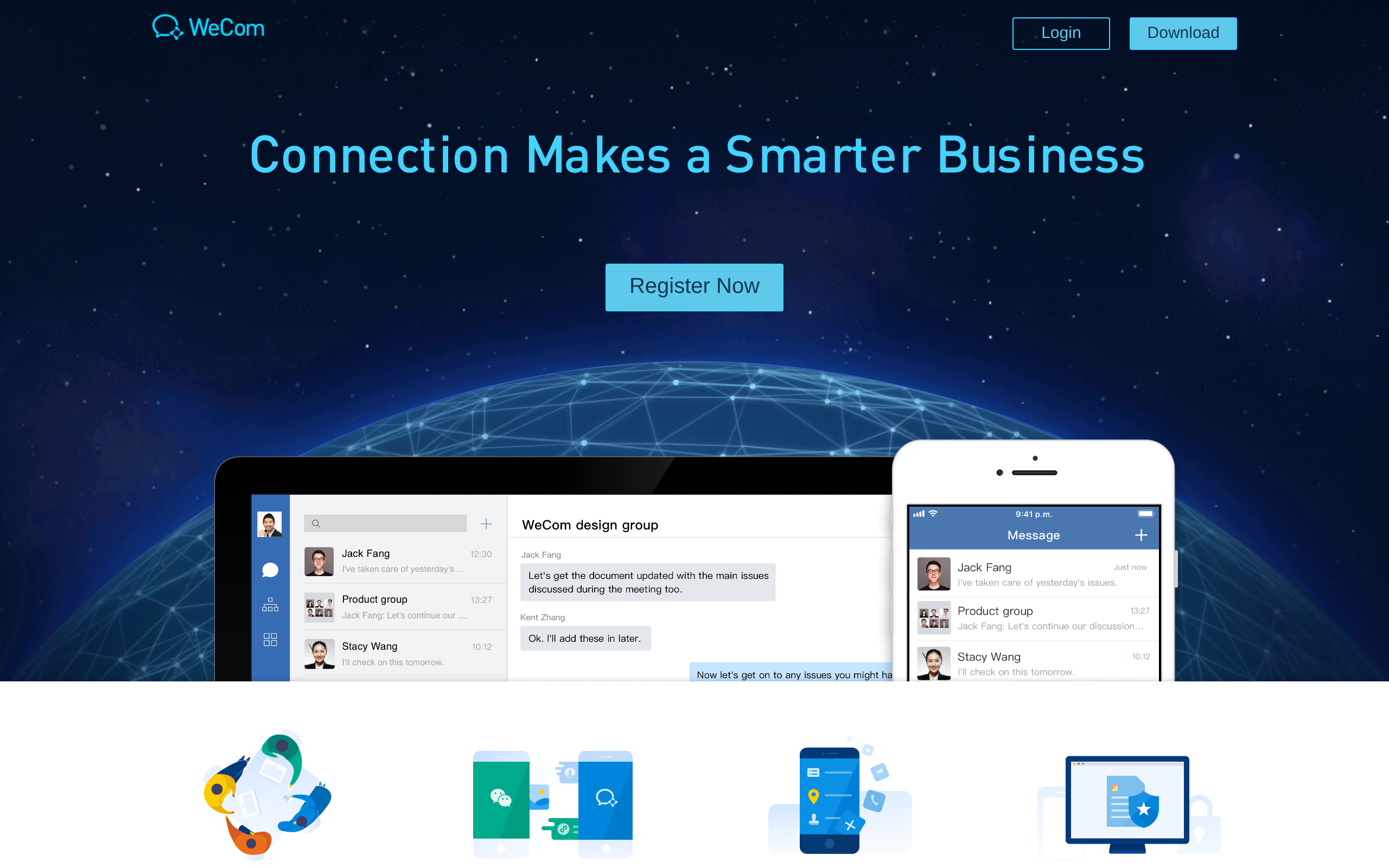
Tencent integrated its collaborative workplace platform WeCom with the AI agent WorkBuddy, testing how much automation a chat window can realistically support. According to ifanr, the pairing links the largest user base among collaborative office platforms in China with the largest user base among Chinese office AI agents. The setup is simple. Inside WeCom, WorkBuddy appears as an AI bot in the chat list and as an icon on the sidebar, connecting to CRM tools and ticketing systems through dedicated APIs.
Yet the chat interface is deliberately constrained. An analysis from woshipm points out that WorkBuddy's capabilities as an integrated bot inside WeCom remain limited compared to its standalone desktop client.
Other platforms take a different path. As woshipm notes, Feishu integrates Doubao Work directly into its sidebar for all individual and enterprise users. Tencent instead splits the workload: chat captures context and human approvals, leaving multi-step agent execution to an external application.
The in-chat bot acts as an intake funnel rather than a workbench
Enterprise software vendors in China have moved quickly to embed artificial intelligence directly into daily communication channels. The rollout has been aggressive. DingTalk integrates Qianwen Office (千问办公) directly into its sidebar for both individual and enterprise users, while Feishu integrates Doubao Work directly into its sidebar for all individual and enterprise users. Tencent chose a different model. It officially integrated its collaborative workplace platform WeCom with the AI agent WorkBuddy, placing it as an AI bot within the chat list and through an icon on the WeCom sidebar.
That chat presence is restricted by design. According to woshipm, WorkBuddy's capabilities as an integrated bot in WeCom are limited compared to its standalone client.
The deliberate bottleneck matters because of the sheer volume moving through Tencent's software. An ifanr author asserts that WeCom serves the largest user base among collaborative office platforms in China, and WorkBuddy has the largest user base among Chinese office AI agents. Scale dictates restraint. Within WeCom, WorkBuddy connects with existing enterprise systems through dedicated APIs and connectors. These integrations pull data from CRM databases and ticketing tools, alongside inventory tools.
By keeping the conversational bot basic, Tencent treats the messaging thread as an intake funnel rather than an end-to-end workbench. Workers ping the assistant to check account records or log requests, but complex tasks are never executed inside the room. Heavy execution stops there. The lightweight in-chat persona collects context on the fly, directing power users outward toward the dedicated desktop client where full agent workflows actually run.
Tencent's Split-Brain Architecture: WorkBuddy Embedded in WeCom vs. Standalone Desktop Client
| Architectural Dimension | WeCom Embedded WorkBuddy Bot | Standalone WorkBuddy Desktop Workbench |
|---|---|---|
| Host Interface & Deployment | Conversational bot in WeCom contact list and WeCom sidebar icon (requires WeCom version 5.0.12 or above) | Standalone desktop client / Enterprise Edition workbench (requires WorkBuddy version 5.8.0 or above) |
| User Eligibility & Monetization | Open exclusively to verified enterprise accounts via free trial, then paid per-seat subscription; unavailable to individual users | Logs in with WeCom credentials; enterprise admins centrally manage permissions, monitor usage, and purchase AI computing power |
| Context Ingestion Scope | Accesses 10 WeCom capabilities (messages, documents, meetings, WeDrive, emails, schedules, to-dos, AI meeting summaries); parses forwarded chat histories | Synchronizes chat contexts with WeCom; connects to all WeCom data and integrates external CRM, ticketing, and inventory tools via dedicated APIs and connectors |
| Execution Capabilities | Lightweight orchestration: categorizes unread items into 'needs action', 'worth noting', and 'other'; creates group chats; pushes scheduled morning briefings; @ mentions delay owners; saves docs to WeDrive | Heavy agentic workflows: browser automation across Google Chrome, Microsoft Edge, and QQ Browser; form submissions, screen captures, software downloads, Xiaohongshu HD watermark-free image downloads; prototypes, poster/web design, technical drafts, data analysis |
| Human Approval Gates & Guardrails | Message dispatch strictly requires manual confirmation; employee meeting or email content searches require individual employee authorization | Operates in isolated tab groups (closes on completion); displays an animated cat cursor; provides step checklists distinguishing automatic actions from required confirmations; requires manual intervention for anti-bot sliders |
| Knowledge Extraction & Customization | Supports switching between multiple underlying AI models to read ambient conversational context | Analyzes historical WeCom chat records to distill decision criteria into reusable custom AI Skills |
Human gates stop autonomous loops from spamming team channels
Enterprise workflows tolerate autonomous action only up to the point where an agent risks disrupting active team channels. According to ifanr, WorkBuddy already operates independently across several routine coordination tasks. A user can issue natural language commands, and the assistant automatically configures and creates new WeCom group chats without forcing anyone to browse contact lists. It also handles structured broadcast tasks. The system executes scheduled tasks to compile morning news briefings and deliver them directly into designated WeCom groups. When collaborative project files show tasks at risk of delay, it identifies those bottlenecks and automatically @ the designated owners inside group chats.
That autonomy stops at the outbound trigger. WorkBuddy can draft messages to WeCom single chats or group chats, but woshipm reports that dispatch strictly requires manual confirmation from the user.
This deliberate friction governs external actions just as firmly. According to woshipm, WorkBuddy provides a checklist distinguishing actions it can perform automatically from actions requiring user confirmation during multi-step web tasks. It does not guess. When confronted with anti-bot security verification sliders on external websites, WorkBuddy cannot solve them automatically and requires manual user intervention to proceed. Enforcing human approval on outgoing drafts and manual intervention on security puzzles confines autonomous loops to predictable internal coordination, protecting team channels from unvetted agent output.
Permission boundaries and per-seat fees govern enterprise data
The ifanr author argues that the primary barrier in AI-assisted work is the user misconception that AI automatically possesses all organizational context. Enterprise models do not start with full visibility into ongoing operations. Instead, data exposure follows corporate hierarchies. WeCom enterprise administrators centrally manage WorkBuddy access permissions and monitor usage based on existing corporate organizational structures. These administrators also purchase AI computing power through those same corporate groupings.
System access remains compartmentalized. The WorkBuddy bot in WeCom can access permissions across 10 capabilities, including chat messages, documents, meetings, and cloud drive storage.
Company-level clearance does not eliminate individual privacy thresholds. According to woshipm, enterprise tasks involving employee meeting content or email searches require individual employee authorization before WorkBuddy can execute them. The bot stops at that line. Automated assistance cannot bypass the employee to inspect private discussions or search mailbox archives on its own.
This gatekeeping extends directly into how the software is sold and deployed. Certified enterprise users on WeCom can apply for a free trial to use the WorkBuddy bot directly in WeCom chats, woshipm notes. That initial testing phase eventually gives way to standard commercial terms. After the free trial period ends, deploying the WorkBuddy bot in WeCom requires a paid per-seat subscription. Pricing the tool per seat ensures organizations assign AI capabilities deliberately rather than broadcasting access across an entire workforce.
When to Use WeCom Chat vs. the Standalone WorkBuddy Workbench
- Daily communication triage, ambient monitoring, and routine group briefings. Deploy the WorkBuddy bot directly inside WeCom. Operating across 10 WeCom capabilities (including messages, documents, meetings, and WeDrive), it can triage unread messages and emails into three categories ('needs action', 'worth noting', and 'other') and push scheduled morning news briefings directly into designated group chats.
- Executing multi-step web research, file downloads, or automated browser workflows. Offload execution to the standalone WorkBuddy desktop workbench. Its browser control feature (in public beta supporting Google Chrome, Microsoft Edge, and QQ Browser) automates information retrieval, high-definition watermark-free image downloads from Xiaohongshu, screen capturing, and form submission inside isolated tab groups.
- Automating web navigation tasks guarded by anti-bot verification sliders. Execute the task manually or keep direct oversight. WorkBuddy cannot automatically solve anti-bot security verification sliders and requires manual user intervention; relying on automation for heavily verified web tasks can become more laborious than manual completion.
- Sending messages to colleagues or searching sensitive personal communications. Rely on WeCom's enforced human approval gates. WorkBuddy strictly requires manual user confirmation before dispatching drafted messages to single or group chats, and requires individual employee authorization before searching employee email or meeting content.
- Building custom enterprise skills, orchestrating cross-system tools, and deep document synthesis. Log in to the standalone WorkBuddy Enterprise Edition client using WeCom credentials. While WorkBuddy's capabilities as an integrated bot in WeCom are limited, the standalone client connects to all WeCom data, distills historical chat records into custom AI Skills, and connects to enterprise CRM, ticketing, and inventory systems via APIs and connectors.
Standalone desktop clients handle multi-step browser automation
Chat interfaces break down when autonomous agents attempt to manipulate the live web. Western enterprise assistants routinely confine multi-step automation to narrow sidebars or message streams, where active DOM navigation and browser states quickly turn brittle. The chat window cannot gracefully host a browser. WorkBuddy resolves this friction by moving heavy execution into a standalone Enterprise Edition desktop workbench. Employees enter this environment without managing separate profiles, logging in directly with their WeCom credentials, according to ifanr.
Execution stays strictly compartmentalized. According to woshipm, WorkBuddy executes browser tasks within an isolated browser tab group and closes the group once the task is finished.
Isolating these web sessions frees the agent to carry out extensive client-side actions without freezing conversation windows. As woshipm details, WorkBuddy's browser control capabilities include information retrieval, software downloading, screen capturing, and form submission. Running these actions on a dedicated desktop application prevents complex web routines from stalling or failing under strict browser timeouts. The team chat channel stays clean.
Despite this structural separation, state passes between both environments. Woshipm notes that chat contexts synchronize across both the WorkBuddy bot in WeCom and the standalone WorkBuddy client application. That shared record feeds long-term automation design. According to ifanr, WorkBuddy can analyze historical chat records in WeCom to distill decision criteria into reusable custom AI Skills. Moving execution to a desktop client protects team communication while preserving the operational context accumulated inside it.
According to sspai, Notification Automation extracts only the visual text on screen, meaning any message truncated with an ellipsis cannot be retrieved in full. In WeChat notifications, the contact remark serves as the title while the message text provides the body. When multiple filter criteria are configured, sspai reports that an incoming alert must satisfy all conditions simultaneously to trigger the shortcut.
Chat interfaces work best as signaling layers. They confirm events and route approvals without running the background pipeline.
External runtimes can manage the heavy lifting. As sspai points out, iOS 27 adds a storage space feature to Shortcuts, while the Notification output variable delivers App Name, Subtitle, Body, and Notification Date. Delegating execution to local desktop environments also avoids cosmetic home screen workarounds that disable native unread notification badge counters.
For readers outside China
- Availability: WorkBuddy's WeCom integration is open exclusively to verified enterprise accounts and cannot be activated by individual users. Enabling the integrated features requires WeCom version 5.0.12 or above and WorkBuddy version 5.8.0 or above. Users access features via an integrated bot and sidebar entry inside WeCom or by logging into the standalone desktop client using WeCom credentials. Availability outside China is not disclosed in sources.
- Pricing: Verified enterprise accounts on WeCom can apply for a free trial. After the free trial period ends, continued access requires a paid per-seat subscription. Enterprise administrators can also purchase AI computing power based on corporate organizational structures. Specific per-seat subscription fees and computing power unit costs are not disclosed in sources.
- Closest Western equivalents: Slack AI; Microsoft Copilot; Salesforce Agentforce
- Data residency: The source material does not cover geographic data residency, server hosting regions, or international compliance standards. Sources state that the integration functions across 10 WeCom capabilities within authorized enterprise scopes without requiring data migration, that administrators centrally control permissions, and that individual employee authorization is mandatory before the tool can inspect private email or meeting records.
Sources
- ifanr 豆包输入法大更新,AI 最自然的入口回到了键盘 https://ifanr.com/1682232
- woshipm WorkBuddy大更新,上线浏览器操控能力 https://woshipm.com/ai/6478181.html
- woshipm WorkBuddy x 企业微信深度融合:连接企业经营"全域上下文" https://woshipm.com/ai/6477882.html
- woshipm 终于,WorkBuddy上线到企微侧边栏,对话直接用 https://woshipm.com/ai/6477602.html
- sspai 十个案例助你轻松上手 iOS 27 通知自动化 https://sspai.com/post/114536
- ifanr 企业微信和 WorkBuddy 组了个「王炸局」,AI 终于不用人伺候了 https://ifanr.com/1684200
The evidence: 63 facts from 6 Chinese articles
Each line below was extracted from the article it sits under, in Chinese, before any of this was written. The writing is done from these and never from the source prose - that separation is structural, not a promise. How we work.
ifanr企业微信和 WorkBuddy 组了个「王炸局」,AI 终于不用人伺候了
- Tencent officially integrated its collaborative workplace platform WeCom with the AI agent WorkBuddy.
- WorkBuddy integrates into WeCom as an AI bot within the chat list and through an icon on the WeCom sidebar.
- The WorkBuddy bot in WeCom can access permissions across 10 capabilities, including chat messages, documents, meetings, and cloud drive storage.
- Users can log in to the standalone WorkBuddy Enterprise Edition desktop workbench using their WeCom credentials.
- WorkBuddy can automatically configure and create new WeCom group chats based on natural language commands without requiring users to browse contact lists.
- WorkBuddy can analyze historical chat records in WeCom to distill decision criteria into reusable custom AI Skills.
- WorkBuddy can execute scheduled tasks to compile morning news briefings and deliver them directly into designated WeCom groups.
- WorkBuddy can identify project tasks at risk of delay from collaborative project files and automatically @ the designated owners inside WeCom group chats.
- WeCom enterprise administrators can centrally manage WorkBuddy access permissions, monitor usage, and purchase AI computing power based on existing corporate organizational structures.
- WorkBuddy connects with existing enterprise systems such as CRM, ticketing, and inventory tools through dedicated APIs and connectors.
ifanr豆包输入法大更新,AI 最自然的入口回到了键盘
- Doubao Input Method has added official support for HarmonyOS NEXT and Windows, bringing its coverage to five operating systems: iOS, Android, HarmonyOS NEXT, macOS, and Windows.
- Doubao Input Method synchronizes a user's personal lexicon, including names, terminology, and English abbreviations, in real time across mobile and PC devices logged into the same Doubao account.
- Doubao Input Method includes a feature called 'Super Transfer' (超级互传) that allows cross-device copying and pasting of text and images between mobile devices and computers under the same Doubao account.
- On iOS, Doubao Input Method allows voice input invocation directly in default mode after initial microphone authorization, removing the need to jump to the standalone app.
- By default, voice input in Doubao Input Method is triggered by holding the Fn key on macOS and by holding the spacebar on mobile devices.
- Doubao Input Method supports speech recognition for whisper and soft-voice speech, as well as offline speech recognition via pre-downloaded offline models.
- For voice inputs exceeding 20 Chinese characters, Doubao Input Method filters filler words and punctuation before using an LLM to restructure phrasing, while providing an option to restore the raw transcript with one click.
- Doubao Input Method displays real-time mathematical calculation results in the candidate bar when a user types an arithmetic expression ending with an equals sign.
- Doubao Input Method supports gesture editing on the delete key: swiping up deletes text or candidate selections, swiping down undoes the deletion, and swiping left clears the Pinyin or English candidate buffer.
- Doubao Input Method supports Quanpin (全拼), Shuangpin (双拼), and Wubi (五笔) typing schemes.
sspai十个案例助你轻松上手 iOS 27 通知自动化
- iOS 27 introduces a Notification Automation feature to Shortcuts.
- Notification Automation allows any app capable of sending notifications to serve as a trigger for Shortcuts.
- To run Notification Automation, system notifications must be enabled for the target app and displayed on at least the Lock Screen or in Notification Center; selecting Banners alone will not run the automation.
- Notification Automation filters incoming notifications using three fields: Notification Title, Notification Subtitle, and Notification Message Body.
- When multiple filter criteria are added to Notification Automation, an incoming notification must satisfy all conditions simultaneously to trigger the shortcut.
- In Shortcuts' 'Show Notification' action, the configured title appears on the notification's second line and is recognized as a subtitle by Notification Automation, while the shortcut's name serves as the first-line title.
- In WeChat notifications, the contact's remark functions as the notification title, while the message text serves as the notification body.
- The 'Notification' output variable in Notification Automation provides metadata including App Name, Notification Title, Subtitle, Body, and Notification Date.
- Customizing app icons on the home screen via Shortcuts disables the display of the app's native unread notification badge counters.
- iOS 27 introduces a storage space feature to Shortcuts.
- Apple Intelligence includes a notification summary feature that automatically summarizes important notifications.
- Notification Automation only extracts the content visually displayed in the notification, meaning any text truncated with an ellipsis cannot be retrieved in full.
woshipmWorkBuddy大更新,上线浏览器操控能力
- WorkBuddy launched a browser control feature currently in public beta.
- WorkBuddy's browser control feature supports Google Chrome, Microsoft Edge, and QQ Browser.
- WorkBuddy operates browser automation via a browser extension that displays connection status and active sessions.
- WorkBuddy executes browser tasks within an isolated browser tab group and closes the group once the task is finished.
- WorkBuddy displays an animated icon of a cat holding a mouse cursor moving on the page during browser execution.
- When searching and downloading images from Xiaohongshu, WorkBuddy automatically downloads high-definition versions and removes watermarks.
- WorkBuddy cannot automatically solve anti-bot security verification sliders and requires manual user intervention.
- WorkBuddy provides a checklist distinguishing actions it can perform automatically from actions requiring user confirmation during multi-step web tasks.
- WorkBuddy's browser control capabilities include information retrieval, software downloading, screen capturing, and form submission.
woshipmWorkBuddy × 企业微信深度融合:连接企业经营“全域上下文”
- WorkBuddy has integrated with WeCom, allowing the WorkBuddy client to access 10 WeCom capabilities including messages, documents, meetings, and WeDrive within authorized enterprise scopes.
- Accessing the integrated capabilities requires WorkBuddy version 5.8.0 or above and WeCom version 5.0.12 or above.
- The joint WorkBuddy and WeCom features are open exclusively to verified enterprise accounts on WeCom.
- WorkBuddy appears as an interactive conversational bot directly inside the WeCom contact list.
- Chat contexts synchronize across both the WorkBuddy bot in WeCom and the standalone WorkBuddy client application.
- WorkBuddy can summarize unread WeCom messages and unread emails into three categories: 'needs action', 'worth noting', and 'other'.
- WorkBuddy can parse forwarded WeCom chat histories to automatically recognize and read referenced online documents, WeDrive files, schedules, to-dos, meetings, and AI meeting summaries.
- WorkBuddy can draft messages to WeCom single chats or group chats, but dispatch strictly requires manual confirmation from the user.
- WorkBuddy supports setting scheduled recurring tasks that execute automatically and push results directly to WeCom.
- Enterprise tasks involving employee meeting content or email searches require individual employee authorization before WorkBuddy can execute them.
- WeCom covers over 14 million enterprises and organizations and serves 750 million WeChat users.
woshipm终于,WorkBuddy上线到企微侧边栏,对话直接用
- WeCom added WorkBuddy to its sidebar in a recent update, accessible via a bot entry with WorkBuddy's robot cat icon.
- Certified enterprise users on WeCom can apply for a free trial to use the WorkBuddy bot directly in WeCom chats.
- The WorkBuddy bot inside WeCom can read a user's WeCom messages, documents, emails, schedules, and meetings as conversational context.
- WorkBuddy in WeCom can reference files from WeCom Drive and automatically save generated documents into WeCom Drive.
- Using WorkBuddy within WeCom supports selecting from multiple underlying AI models.
- The standalone WorkBuddy desktop client supports logging in with WeCom and connecting to all WeCom data.
- Feishu integrates Doubao Work directly into its sidebar for all individual and enterprise users.
- DingTalk integrates Qianwen Office (千问办公) directly into its sidebar for both individual and enterprise users.
- WeCom has Dayuan (大圆) operating as a general-purpose office assistant alongside the supplementary WorkBuddy bot.
- The WorkBuddy bot in WeCom is restricted to enterprise accounts and cannot be activated by individual users.
- After the free trial period ends, using the WorkBuddy bot in WeCom requires a paid per-seat subscription.