
Tencent's WorkBuddy operates as a desktop AI agent for Windows and macOS, with companion access on the web, bypassing isolated chat windows to rewrite local files in place. As woshipm reports, the software integrates an independent file browser into the desktop "Open with" context menu for formats like Word, Excel, PDF, and Markdown. The layout uses two panes. The file appears on the left, while an assistant pane on the right saves edits directly back into the source document.
This in-place workflow eliminates manual export steps. It also introduces immediate data-loss hazards whenever automated rewrites execute without defensive versioning.
That local execution links directly with enterprise infrastructure. Pairing WorkBuddy with WeCom version 5.0.12 or higher turns the agent into an internal bot contact, according to iplaysoft. From there, it draws context from Tencent Docs, WeDrive, Tencent Meeting records, and chat messages to generate automated task reports. Work on local drives merges into corporate channels. Examining these implementations shows how ambient execution redefines workstation productivity while testing the limits of user control.
Embedding agent execution into file managers and enterprise chat
Tencent's WorkBuddy operates as a cross-platform desktop AI agent available on Windows, macOS, and the web, as documented by iplaysoft. It avoids isolated chat sidebars. Instead, the software anchors itself directly into local file management. According to woshipm, WorkBuddy provides an independent file browser launched via the desktop "Open with" right-click menu. This viewer opens formats including Word, Excel, PDF, Markdown, HTML, TXT, images, and audio. It organizes work through a dual-pane layout, placing the file view on the left and the AI assistant on the right. Modifications save directly back to the original file.
- early MarchWorkBuddy initiates 91-version release cycle preceding file browser launch
- mid-JulyWorkBuddy Practical Bluebook open-source guide is released on GitHub
- late JulyWorkBuddy launches human-machine co-writing feature
- mid-AugustWorkBuddy expands human-machine co-writing support to HTML files
- October 31, 2026WorkBuddy international free access for DeepSeek-V4.1-Flash-1017 concludes
In-place modification avoids file sprawl. According to woshipm, Tencent Docs' updated AI Workbench is powered by WorkBuddy. When handling spreadsheet data analysis, the agent adds a new dashboard sheet inside the original spreadsheet instead of creating a separate file.
This execution pattern extends directly into enterprise communication channels. Pairing WorkBuddy with WeCom version 5.0.12 or higher enables full integration as an interactive bot contact, according to iplaysoft. From inside chat windows, users assign tasks and receive scheduled automated task reports. The agent reads and invokes contextual data from WeCom chat messages, Tencent Docs, Tencent Meeting records, WeDrive, and email. Meanwhile, woshipm highlights that the WorkBuddy-driven workbench enables human-machine co-writing within Tencent Docs. Plain language prompts alter document copy directly in place, updating linked charts and titles without forcing users to paste text across windows.
Balancing strict file-level isolation against directory traversal
WorkBuddy avoids broad disk traversal by restricting its file browser strictly to documents the user explicitly opens. According to woshipm, the application does not scan or traverse the surrounding hard drive. Instead, it utilizes a dual-pane interface with the file view on the left and an AI assistant on the right, allowing modifications to be saved directly back to the original file. Concurrency conflicts trigger immediate safeguards. When a target file is currently being accessed by Microsoft Word, WorkBuddy places the document into a view-only mode to prevent write collisions.
Markdown files bypass account requirements entirely, permitting viewing and editing without logging in. Modifying Office documents, by contrast, requires an active login.
Reconciling this single-file containment with enterprise workflows relies on external context rather than local disk crawling. As reported by iplaysoft, WorkBuddy reads and invokes contextual data from WeCom chat messages, Tencent Docs, Tencent Meeting records, WeDrive, and email. That context feeds two operational tracks. Tasks split between a lightweight querying mode named Ask mode and a deeper task execution mode named Craft mode. According to sspai, Blue Box stated that internal database queries that previously required one to two days of cross-departmental coordination can now return results in a few minutes via its local AI agent.
On mobile devices, the WorkBuddy WeChat Mini Program handles lighter workflows. According to woshipm, users can preview Markdown, HTML, and SVG files, or attach them into AI conversations.
Evaluating these boundaries, iplaysoft judges that WorkBuddy's programming capability is slightly inferior to Codex and Claude Code. The outlet considers it more user-friendly for everyday office tasks and non-programmers.
Exposing multi-model toggles versus sealing the underlying engine
Desktop tools and cloud suites handle underlying engines under opposing design philosophies. According to woshipm, Tencent Docs' AI Workbench provides no interface or setting for users to choose alternative models, locking operations to its fixed backend. WorkBuddy takes the reverse path by exposing external model controls. As reported by iplaysoft, the desktop client connects directly to Chinese models including DeepSeek, Kimi, GLM, MiniMax, and Hunyuan, while its overseas build integrates OpenAI's GPT models and Google's Gemini series. Users can also connect custom third-party APIs.
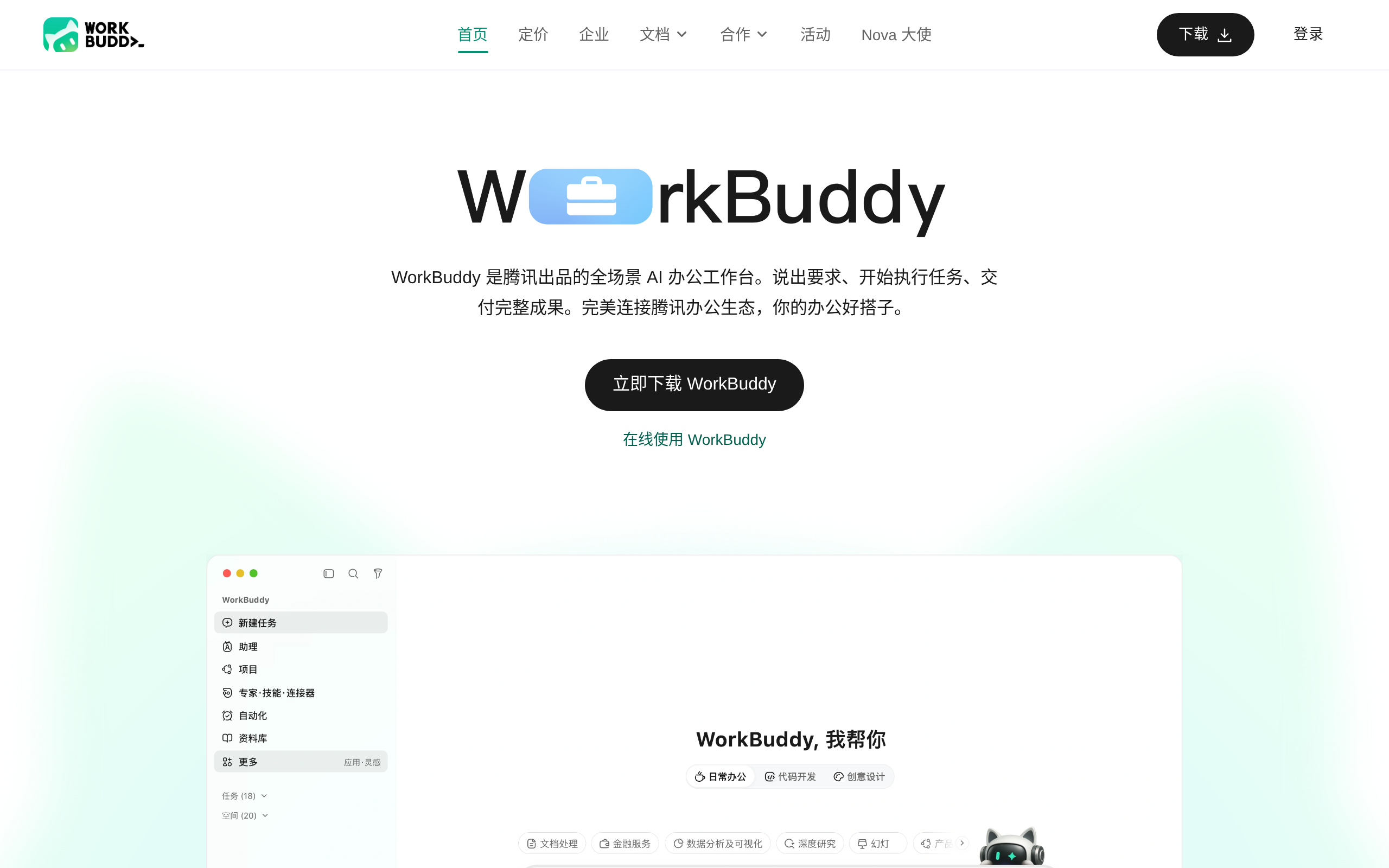
Routing edits through cloud endpoints creates privacy trade-offs. WorkBuddy permits viewing and modifying Markdown files without logging in, yet demands authentication for Office files. Document contents inevitably leave local storage once commercial APIs take over.
This transmission into remote servers collides with enterprise security policies. Drawing on an Omdia survey of 1,584 enterprise technology decision-makers across five countries in the fourth quarter of 2025, sspai noted that 76% of respondents fear cloud data leakage. While 73% of enterprises currently run cloud or hybrid AI deployments, more than one-third plan to transfer workloads to on-device hardware within the next 12 months. Local capacity already exists. Specifically, sspai highlighted Blue Box running a 35-billion-parameter Qwen model on a Mac mini with 64GB of memory.
These shifts expose a deeper reality about desktop agents. A woshipm author argues that agent competence depends on local file context instead of raw model power. Woshipm author San Ge similarly asserts that agent competition hinges on workflow integration rather than model strength. The engine is secondary.
Tencent In-Place AI Execution Across OS, Document, and Chat Interfaces
| Workflow Dimension | WorkBuddy OS File Browser | Tencent Docs AI Workbench | WeCom WorkBuddy Bot |
|---|---|---|---|
| Host Interface & Access Point | Desktop 'Open with' right-click menu and independent file browser (dual-pane interface); supported on Windows, macOS, and web | Tencent Docs AI Workbench interface within document, spreadsheet, and presentation editors | WeCom chat window functioning as a direct bot contact; requires WeCom version 5.0.12 or higher |
| In-Place Execution & File Handling | Dual-pane view (file on left, AI on right) saving modifications directly back to original local files (Word, Excel, PDF, Markdown, HTML, TXT, images, audio); accesses only actively opened files | Updates document content directly in place; appends a new dashboard sheet inside the original spreadsheet rather than creating a separate file | Executes tasks and delivers scheduled automated reports directly inside chat windows; direct local file modification not covered |
| Underlying Model Selection & Extensibility | Built-in integration with DeepSeek, Kimi, GLM, MiniMax, Hunyuan (domestic) and GPT, Gemini (overseas); supports custom third-party model APIs; features Craft and Ask modes | Underlying agent is powered by WorkBuddy; does not offer an option or interface for users to select different underlying models | Powered by WorkBuddy; supports Craft mode and Ask mode; custom API integration supported via WorkBuddy |
| Concurrency & Overwrite Protection | Automatically shifts to view-only mode if the file is currently being accessed by Microsoft Word | Supports version history restoration for presentations; links chat data points to specific cells via anchor links; file locking not covered | not covered |
| Authentication & Credit Rules | Markdown files viewable and editable without login; Office editing requires login; China version provides 2,000 usage points; Token Plan packages cost at least four times less than standalone model prices | Manual modifications made to generated presentations do not consume user credits | not covered |
| Ecosystem Context & Data Handoff | Direct upload or integration into Tencent Docs, ima knowledge base, or Lexiang knowledge base; mobile preview via WeChat Mini Program | One-click export of conversation history and artifacts to WorkBuddy; exportable as PPT or PDF; shareable via QQ, WeChat, Yuanbao, WorkBuddy, web link, or QR code | Reads and invokes contextual data from WeCom chat messages, Tencent Docs, Tencent Meeting records, WeDrive, and email |
Deployment and Workflow Decision Framework for WorkBuddy and Local Agents
- Modifying or analyzing local desktop files in place via the operating system context menu Use WorkBuddy's independent file browser via the desktop 'Open with' right-click menu for dual-pane editing and saving directly back to original files (Word, Excel, PDF, Markdown, HTML, TXT, images, audio). Ensure Microsoft Word is closed prior to editing, as WorkBuddy automatically locks files into view-only mode if Word is accessing them.
- Deciding between dedicated software engineering agents and general office workflow automation Deploy WorkBuddy (or Tencent Docs' WorkBuddy-powered AI Workbench) for non-programmer office tasks like document co-writing, spreadsheet dashboard sheet creation, and presentation generation. For specialized coding, consider dedicated alternatives, as source assessments judge WorkBuddy's programming capability to be slightly inferior to Codex and Claude Code.
- Automating task delegation, scheduled reporting, and cross-tool context retrieval within team communication channels Integrate WorkBuddy with WeCom (version 5.0.12 or higher). This enables WorkBuddy to act as a bot contact in chat, reading context across WeCom messages, Tencent Meeting records, WeDrive, email, and Tencent Docs to deliver automated task reports directly inside chat windows.
- Querying internal business metrics while managing strict cloud data leakage concerns Deploy an on-device local model architecture rather than cloud-hosted agents. As demonstrated by Blue Box, running a 35-billion-parameter Qwen model locally on a 64GB Mac mini allows natural-language-to-SQL database queries across internal records in minutes, addressing data leakage worries shared by 76% of enterprise technology decision-makers surveyed by Omdia.
- Executing quick edits without account sign-in or across mobile devices Use WorkBuddy without logging in for viewing and editing Markdown files, or leverage the WeChat Mini Program to preview Markdown, HTML, and SVG files on mobile. Reserve account sign-in for tasks that require editing Office formats (Word, Excel).
Preventing silent data destruction during in-place file rewrites
WorkBuddy's dual-pane file browser pairs a file view on the left with an AI assistant on the right, saving modifications directly back to original files according to woshipm. This architecture eliminates intermediate exports. Between early March and the file browser release, WorkBuddy pushed 91 versions, followed by 25 updates in the two months after mid-July. Human-machine co-writing launched in late July, expanding to HTML files in mid-August. Modifying live files on disk accelerates daily tasks, but direct overwrites invite unprompted truncation and corrupted markup whenever an agent hallucinates formatting structure.
Direct overwrites trade safety margins for mechanical speed. An errant model pass can purge raw data before a user notices the damage.
Tooling mitigates this friction by separating passive observation from destructive execution. As iplaysoft reports, WorkBuddy separates tasks into a lightweight Ask mode for queries and a deeper Craft mode for execution, fueled by an allotment of 2,000 usage points upon claiming. While iplaysoft rates WorkBuddy's programming capability below Codex and Claude Code, it considers the tool friendlier for non-programmers handling office tasks. Spreadsheet integrations adopt a similar defensive structure. According to woshipm, Tencent Docs' AI Workbench adds a new dashboard sheet inside the original spreadsheet instead of overwriting existing data, pairing chat metrics with anchor links to target cells.
Recovery remains uneven across file formats. Presentations edited through Tencent Docs allow users to revert natural language modifications through version history restoration (woshipm). Local binaries lack that safety net. The open-source guide "WorkBuddy Practical Bluebook" (WorkBuddy 实战蓝皮书), which debuted in mid-July and reached 28 chapters with over 3,300 stars on GitHub, emphasizes defensive habits like manual pre-execution duplication before letting Craft mode run.
Because Tencent Docs' AI Workbench updates document content and linked charts directly in place, prompts operate as executable scripts. Anchor links in chat jump directly to selected spreadsheet cells. One click imports conversation histories and artifacts into WorkBuddy to supply context for coding or video production. Manual presentation edits consume no user credits. Users cannot select different underlying models in the interface. In an analysis by woshipm author San Ge, agent competition now hinges on workflow integration rather than raw model power.
Treating in-place tools with write permissions requires defensive habits. Rely on version history restoration when issuing prompts across presentations. Duplicate critical files beforehand, and isolate tasks into separate windows to prevent context bleed.
For readers outside China
- Availability: WorkBuddy is cross-platform, offering native desktop clients for Windows and macOS, a web interface, and a WeChat Mini Program for mobile previewing of Markdown, HTML, and SVG files. It provides separate domestic China and international releases. The international version features built-in access to OpenAI's GPT models and Google's Gemini series models. Regional app store availability or geographic IP blocks outside China are not disclosed in sources.
- Pricing: The international edition includes free access to the DeepSeek-V4.1-Flash-1017 model until October 31, 2026. The domestic China edition provides 2,000 usage points upon claiming. WorkBuddy also sells official Token Plan packages priced at least four times less than standalone model rates, and supports connecting custom third-party model APIs. Viewing and editing Markdown files requires no login, but editing Office files requires an account. Within Tencent Docs' AI Workbench, manual adjustments to generated slides consume no credits.
- Closest Western equivalents: Codex; Claude Code
- Data residency: Data storage regions, cloud hosting facilities, and international compliance certifications are not disclosed in the sources. The source material notes that WorkBuddy's local file browser restricts file reads exclusively to files actively opened by the user rather than indexing or traversing local drives. However, files can be integrated or uploaded into Tencent Docs, WeDrive, and the ima or Lexiang knowledge bases. Cloud data handling remains an enterprise concern: an Omdia survey cited in the sources found that 76% of enterprise technology decision-makers express concern over cloud data leakage, leading some organizations to deploy local hardware for sensitive internal database querying.
Sources
- woshipm 腾讯再出手,WorkBuddy 想做 AI 时代的 Office! https://woshipm.com/ai/6475122.html
- iplaysoft 腾讯 WorkBuddy 免费白嫖 DeepSeek 新模型 (国产 Codex / Claude Code 替代) https://iplaysoft.com/workbuddy.html
- sspai 与 Tim Cook 走进「蓝盒子」,了解 Mac 如何助力中国企业成长 https://sspai.com/post/116585
- woshipm 腾讯文档「AI工作台」上线,和 WorkBuddy 同源,实测效果惊人 https://woshipm.com/ai/6465613.html
The evidence: 43 facts from 4 Chinese articles
Each line below was extracted from the article it sits under, in Chinese, before any of this was written. The writing is done from these and never from the source prose - that separation is structural, not a promise. How we work.
iplaysoft腾讯 WorkBuddy 免费白嫖 DeepSeek 新模型 (国产 Codex / Claude Code 替代)
- Tencent's WorkBuddy is a cross-platform desktop AI agent available on Windows, macOS, and the web.
- The international version of WorkBuddy integrated the DeepSeek-V4.1-Flash-1017 model and made it freely accessible until October 31, 2026.
- The domestic China version of WorkBuddy provides 2,000 usage points to users upon claiming.
- WorkBuddy has built-in integration with Chinese large language models including DeepSeek, Kimi, GLM, MiniMax, and Hunyuan.
- The overseas version of WorkBuddy has built-in integration with OpenAI's GPT models and Google's Gemini series models.
- WorkBuddy supports connecting custom third-party model APIs.
- WorkBuddy supports full integration with WeCom when paired with WeCom version 5.0.12 or higher.
- WorkBuddy can read and invoke contextual data from WeCom chat messages, Tencent Docs, Tencent Meeting records, WeDrive, and email.
- WorkBuddy can function as a bot contact in WeCom, enabling users to assign tasks and receive scheduled automated task reports directly inside chat windows.
- WorkBuddy features a deeper task execution mode named Craft mode and a lightweight querying mode named Ask mode.
sspai与 Tim Cook 走进「蓝盒子」,了解 Mac 如何助力中国企业成长
- Apple CEO Tim Cook visited the Minhang District office of Chinese mattress and home brand Blue Box (蓝盒子) in Shanghai on a Thursday following a trip to Beijing.
- Blue Box was founded in 2019 as a mattress and home goods brand offering rolled-pack mattresses, direct-to-consumer online sales, and a 100-day trial sleep service.
- Blue Box has grown from an initial two-person startup team to more than 300 employees.
- Blue Box transitioned its internal IT operations to Apple Business (Apple 商务) to handle zero-touch device deployment, mobile device management, and app distribution.
- Blue Box operates a mobile service called 'Sleep Convenience Vehicle' (睡眠便利车), using iPads as mobile workstations to display products and connect on-site mattress trials with online order systems.
- Blue Box locally deployed a 35-billion-parameter Qwen model on a Mac mini equipped with 64GB of memory.
- Blue Box developed an internal AI agent that converts natural language questions into SQL queries to retrieve internal sales, inventory, and retail operation data.
- An enterprise AI infrastructure survey conducted by Omdia and commissioned by Apple found that 76% of respondents expressed concern about data leakage through cloud services.
- The Omdia enterprise AI survey found that more than one-third of surveyed enterprises plan to shift more AI workloads to on-device hardware within the next 12 months.
- The Omdia enterprise AI survey surveyed 1,584 enterprise technology decision-makers and practitioners across five countries in the fourth quarter of 2025, covering organizations with over 500 employees primarily in healthcare, finance, and professional services.
- The Omdia enterprise AI survey found that 73% of enterprises use cloud or hybrid infrastructure to deploy AI.
woshipm腾讯再出手,WorkBuddy 想做 AI 时代的 Office!
- WorkBuddy launched an independent file browser that opens local files, including Word, Excel, PDF, Markdown, HTML, TXT, images, and audio, via the desktop 'Open with' right-click menu.
- WorkBuddy's file browser utilizes a dual-pane interface with the file view on the left and an AI assistant on the right, allowing modifications to be saved directly back to the original file.
- WorkBuddy released 91 versions between early March and the launch of its independent file browser, including 25 updates in the two months following mid-July.
- WorkBuddy launched human-machine co-writing in late July and expanded co-writing support to HTML files in mid-August.
- The open-source guide 'WorkBuddy Practical Bluebook' (WorkBuddy 实战蓝皮书) released in mid-July reached 28 chapters and exceeded 3,300 stars on GitHub.
- WorkBuddy's file browser accesses only files actively opened by the user rather than scanning or traversing the user's hard drive.
- WorkBuddy places a file into a view-only mode if the file is currently being accessed by Microsoft Word.
- WorkBuddy allows viewing and editing of Markdown files without logging in, but requires a login to edit Office files.
- WorkBuddy files can be directly uploaded or integrated into Tencent Docs, the ima knowledge base, or the Lexiang (乐享) knowledge base.
- The WorkBuddy WeChat Mini Program allows users on mobile devices to preview Markdown, HTML, and SVG files, or attach them into AI conversations.
woshipm腾讯文档「AI工作台」上线,和 WorkBuddy 同源,实测效果惊人
- Tencent Docs launched an updated version of its AI Workbench.
- The underlying agent for Tencent Docs' AI Workbench is powered by WorkBuddy.
- Tencent Docs' AI Workbench supports tasks including presentation generation, document writing, spreadsheet creation, webpage generation, and data analysis.
- Tencent Docs' AI Workbench supports importing data from local files as well as online Tencent Docs files.
- When conducting spreadsheet data analysis, Tencent Docs' AI Workbench adds a new dashboard sheet inside the original spreadsheet instead of creating a separate file.
- Key data points shown in the Tencent Docs' AI Workbench chat interface contain anchor links that directly navigate to and select corresponding cells in the spreadsheet.
- Tencent Docs' AI Workbench supports human-machine co-writing, updating document content directly in place alongside linked charts and titles using natural language instructions.
- Manual modifications made to presentations generated in Tencent Docs' AI Workbench do not consume user credits.
- Presentations generated by Tencent Docs' AI Workbench can be altered via natural language prompts to AI and support version history restoration.
- Outputs from Tencent Docs' AI Workbench can be shared via QQ, WeChat, Yuanbao, WorkBuddy, web links, QR codes, or exported as PPT or PDF files.
- Conversation history and generated artifacts from Tencent Docs' AI Workbench can be imported into WorkBuddy with one click to provide context for broader tasks such as video production or coding.
- Tencent Docs' AI Workbench does not offer an option or interface for users to select different underlying models.