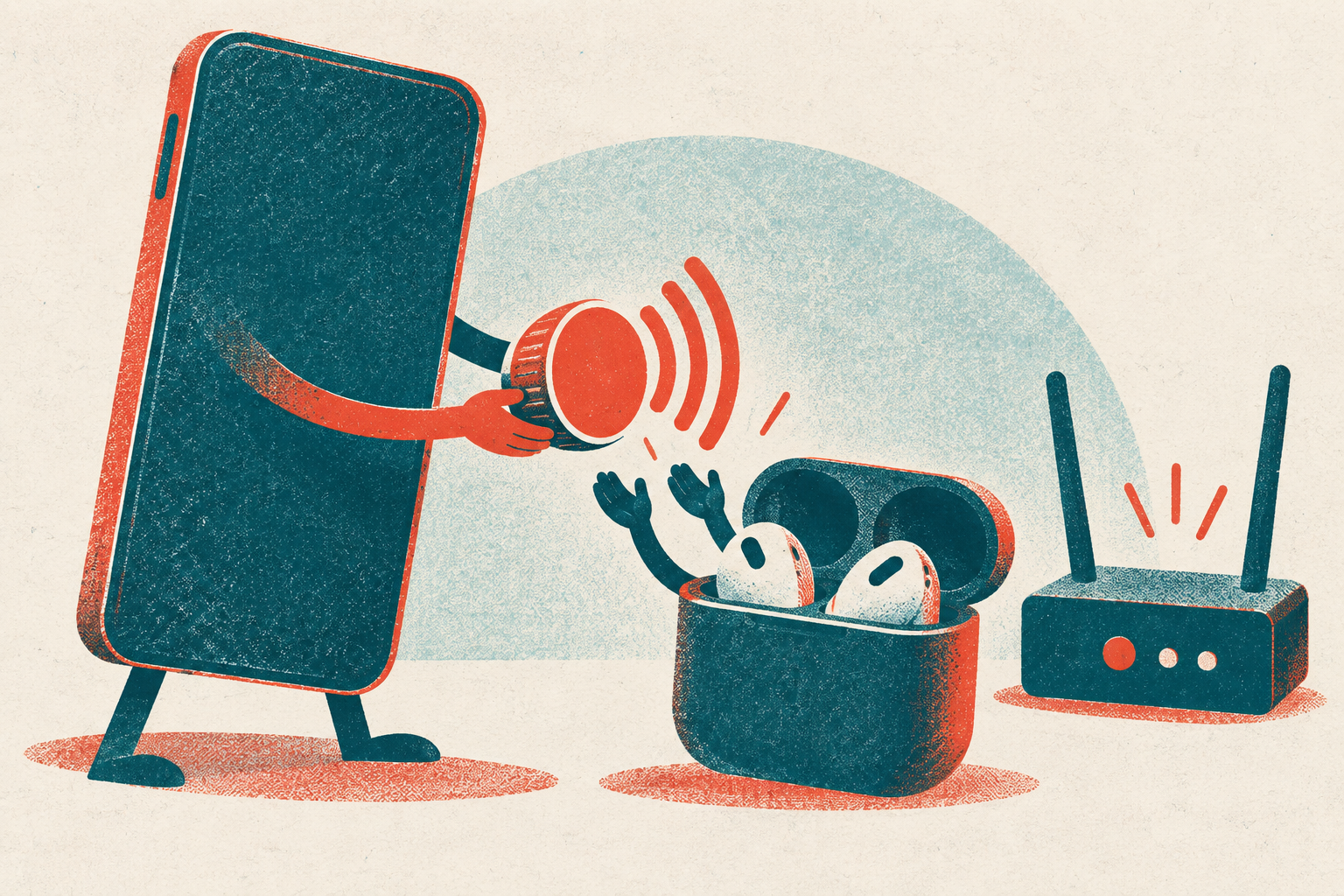
iOS 27 turns familiar iPhone settings into controls that can follow the particulars of a day. ifanr reports a continuous Liquid Glass slider in Display & Appearance, plus a Workdays alarm that accounts for statutory holidays and weekends designated as workdays. Compatible H2-chip AirPods, including AirPods 4 and AirPods Pro 2, gain EQ sliders for low, mid, and high frequencies. This is a quieter shift than a single headline feature.
The pattern reaches connectivity, too. sspai says Developer Beta 4 lets Connection Assist be enabled or disabled for an individual Wi-Fi network even when the global setting remains on; Developer Beta 5 also makes Liquid Glass's highest transparency level clearer. The result is an iPhone that increasingly invites small, repeatable personal routines-and a closer look at where automation can make those controls stick.
Settings become personal controls
iOS 27 puts more of the phone's ordinary behavior behind controls that can be adjusted to fit a person's routine. In Display & Appearance, the Liquid Glass effect gets a continuous adjustment slider, according to ifanr. That changes the interface from a single visual treatment into a preference: users can choose how strongly the material effect appears rather than accept a fixed look.
- the springApple employees began advanced testing of camera-equipped AirPods
- the summerProduction hopes were disrupted by supply-chain and software problems
- 2026Apple removed camera-equipped AirPods from its product roadmap
- 2027Apple still expects to launch camera-equipped AirPods
The visual option has also changed during the release cycle. sspai reports that iOS 27 Developer Beta 5 introduced a more transparent highest Liquid Glass setting, allowing background content to show more clearly through buttons, bubbles, and navigation components. Accessibility and taste overlap here. A person who finds layered interface elements distracting can tune the effect differently from someone who wants the background to remain visible.
Routine settings receive the same kind of specificity. The Workdays alarm can account for adjusted workdays, skip statutory holidays, and still ring on weekends designated as workdays. Compatible H2-chip AirPods, including AirPods 4 and AirPods Pro 2, gain low-, mid-, and high-frequency EQ sliders. Those controls make sound behavior more personal.
Connectivity is becoming less all-or-nothing, too. In iOS 27 Developer Beta 4, Connection Assist can be enabled or disabled for an individual Wi-Fi network while the global setting remains enabled, sspai says. A user can therefore make a judgment about a particular network instead of applying one rule everywhere.
These are small controls, but they alter the premise of everyday iPhone use. Defaults remain available; routines can increasingly override them.
Persistent storage makes Shortcuts more useful
Shortcuts storage in iOS 27 gives an automation a memory. According to sspai, it can save persistent data internally and read it later, rather than treating each run as isolated. With Global Value disabled, data stays inside the current shortcut. Enable it, and any shortcut can read or modify the stored value.
That shared state makes an app-specific media-volume routine possible.
The practical example addresses a gap in iOS: there is no built-in setting for separate volume levels by app, sspai says. The setup uses two automations, triggered when an app opens and closes. On opening, the shortcut records the current media volume and app name, finds that app's saved volume, then sets media volume to it. On closing, it retrieves the saved app name, stores the adjusted volume, and restores the volume that existed before launch.
It is stateful behavior, not a new system-wide volume control.
There are operating details worth planning around. Settings -> Sounds & Haptics -> Change with Buttons must be disabled before use. When a configured app opens for the first time, its volume becomes zero until it is adjusted manually. A volume bar also appears whenever the automation changes volume at launch or close. The available documentation does not settle confirmation prompts, background reliability, export, sharing, or restoration, so those should remain questions rather than assumed properties of the routine.
iOS 27: native controls, persistent Shortcuts routines, and Siri/AI
| Native user-tunable controls | Shortcuts with persistent storage | Siri and Apple Intelligence | |
|---|---|---|---|
| What changes | Liquid Glass has a continuous adjustment slider; Connection Assist can be set per Wi-Fi network; compatible H2-chip AirPods gain custom low-, mid-, and high-frequency EQ. | Shortcut storage can save data internally and read it later; Global Value determines whether storage is local to one shortcut or available to any shortcut. | Siri can read on-screen context and execute multi-app instructions; Photos adds on-device subtitle generation and cloud-assisted Reframe filling. |
| Example recurring behavior | Workdays alarms skip statutory holidays and ring on weekends designated as workdays; Camera top buttons can be long-pressed to pin settings. | Two automations can save an app's prior media volume when it opens, apply its stored volume, then save its adjusted volume and restore the prior level when it closes. | Siri can extract an address from Messages and open walking navigation in Maps. |
| Granularity | Controls cover display appearance, an individual Wi-Fi network, AirPods EQ, alarms, and Camera settings. | The app-volume setup indexes stored content by app name and volume. | Siri preview lines can range from never showing previews to showing up to five lines; supported devices also offer speech-rate and expressiveness controls. |
| Limits or dependencies | Custom EQ requires compatible H2-chip AirPods, including AirPods 4 and AirPods Pro 2. | The first time a configured app opens, its volume becomes zero and must be adjusted manually; volume bars appear when automations adjust volume. | Apple had not officially enabled the complete new Siri experience in mainland China by the release of iOS 27; unsupported devices show only accents and fewer voice options. |
| Earlier-version fallback | Not covered | A version for releases before iOS 27 uses file reading and writing in Shortcuts' Shortcuts folder instead of Shortcut storage. | Not covered |
Siri remains an uneven layer
Siri's practical promise in iOS 27 is its ability to act across the phone rather than merely answer a question. According to ifanr, it can use what is visible on screen and carry out multi-app instructions, including taking an address from Messages and opening walking directions in Maps. It can also handle more involved conversational requests and bring scattered information into a natural-language response. The Camera app adds a dedicated Siri visual-intelligence control in its bottom bar.
Those capabilities sit beside more incremental controls still evolving through the developer betas. In iOS 27 Developer Beta 4, sspai reports that Siri voice settings were unified across iPhone models, but the available controls still depend on support status. Unsupported devices show accents with fewer voice choices; supported devices add speech-rate and expressiveness adjustments. Beta 4 also introduced preview-line settings, ranging from no previews to up to five lines, plus an "Always Show Request" accessibility option that keeps a transcription of spoken requests visible. By Developer Beta 5, all seven U.S. English voices and four British English voices supported speech-rate and expressiveness controls.
The divide is consequential. ifanr notes that the complete new Siri experience had not been officially enabled in mainland China when iOS 27 was released.
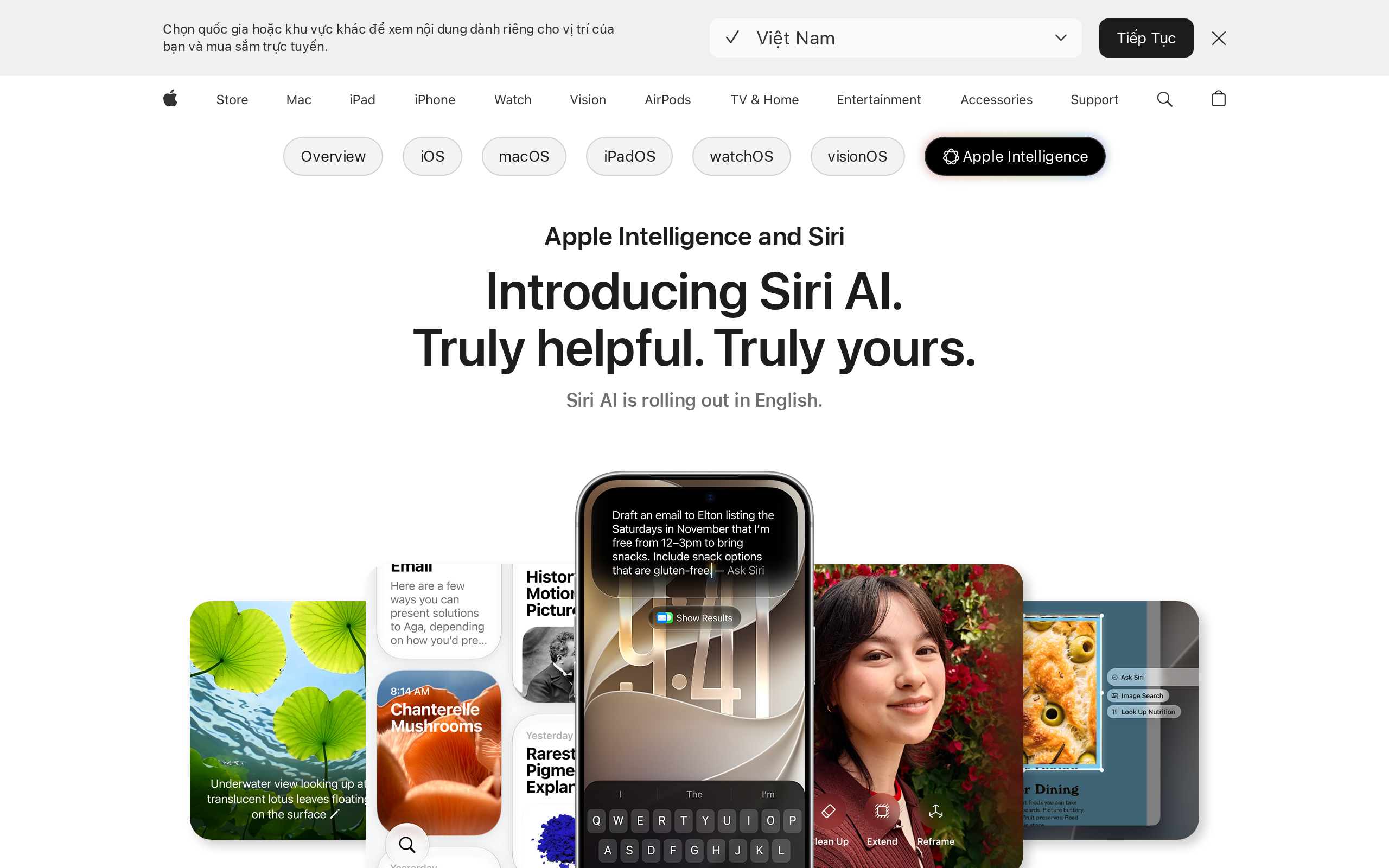
That makes Siri a layer to verify before designing a recurring routine around it. Country availability and device support can determine which controls appear, and which screen-aware or cross-app behavior is actually usable. Shortcuts can still organize a habit, but Siri should remain an optional entry point until the relevant iPhone and region expose the needed capability.
Upgrade for the controls, not the promise
iOS 27 support reaches the iPhone 11 series and iPhone SE 2, according to ifanr. That breadth makes the update relevant beyond current flagship owners.
The practical upgrade case starts with the system behavior available across supported phones: improved Shortcuts and widgets, as iplaysoft describes them. Those changes can matter every day without depending on a conversational AI feature to understand a request correctly. Treat them as the base layer of the update.
Apple's published testing, reported by ifanr, puts mainstream app cold starts at up to 30% faster. Newly captured high-resolution photos may load up to 70% faster. AirDrop transfers and handshakes may improve by up to 80%. These are test ceilings rather than a promise that every phone will feel equally transformed, but the testing included an iPhone 11 Pro Max and iPhone 15 alongside current flagship models.
The version already installed matters. ifanr's author recommends iOS 27 for iPhone 11 through iPhone 13 users who are already on iOS 26, while cautioning against moving from iOS 18 or earlier solely for smoother operation and better battery life. That distinction keeps performance claims in proportion.
Siri AI and Apple Intelligence are part of iOS 27, iplaysoft says, but they should remain a conditional benefit rather than the reason to upgrade. iplaysoft also warns that some features can be reduced on older models. Upgrade for the controls that reshape repeat actions; regard the AI layer as an extra whose value depends on the device.
Where iOS 27's tunable behavior is most useful
- You want different listening levels for different apps, such as a quieter media app and a louder one. Build the two-automation per-app volume setup in Shortcuts: on opening an app, save the existing media volume, retrieve that app's stored level, and apply it; on closing it, save the adjusted app level and restore the prior media volume. Disable Settings -> Sounds & Haptics -> Change with Buttons first, or Shortcuts may retrieve ringtone volume rather than media volume. Expect a volume bar whenever the automation changes volume, and manually set the desired level after the first opening, when a configured app initially becomes zero.
- You are making repeatable Shortcuts that need to remember a setting, state, or preference between runs. Use iOS 27's Shortcut storage rather than the earlier file-reading and writing workaround. Keep Global Value disabled when data should remain inside one shortcut; enable it only when several shortcuts genuinely need to access and modify the same stored value.
- A particular Wi-Fi network has unreliable connectivity and you want to control fallback behavior without changing the rule everywhere. Use the per-network Connection Assist control. iOS 27 lets Connection Assist be enabled or disabled for an individual Wi-Fi network even while the global Wi-Fi Connection Assist setting remains enabled.
- You use compatible H2-chip AirPods and want to tune their sound rather than accept one fixed profile. Use the custom EQ controls, which provide low-, mid-, and high-frequency sliders for compatible H2-chip AirPods, including AirPods 4 and AirPods Pro 2. Do not plan around this feature for AirPods whose compatibility is not disclosed in sources.
- You are deciding whether Siri should be the core of a new workflow. Treat Siri as an optional accelerator, not the workflow's only dependency. iOS 27 can read on-screen context and carry out multi-app instructions, but the complete new Siri experience had not officially been enabled in mainland China at release; Siri controls also differ between supported and unsupported devices.
Test automations without disrupting the day
Start with the recurring handoffs that interrupt a phone session: opening an app that needs a different media level, then returning to whatever was playing before. Those are suitable candidates for saved-state Shortcuts because the automation records a prior setting before changing it. Keep the first test narrow.
sspai describes an opening automation that saves the current media volume and app name, retrieves that app's stored volume, then applies it. When the app closes, it stores the adjusted app volume and restores the level saved before opening. The handoff is explicit.
Expect a setup cost. According to sspai, a configured app first opens at zero volume, so its level must be adjusted manually. A volume bar also appears whenever the automation changes volume on opening or closing.
Background habits deserve the same audit. In iOS 27 Developer Beta 4, the Apple TV app can automatically download the next two episodes of a watched series and delete those downloads after viewing.
Protect the baseline before firmware changes. iplaysoft instructs users to back up important data; a complete backup can use a data cable with Finder on a Mac or iTunes on Windows. Its author says Update preserves existing data, while Restore erases all data before reinstalling firmware. Then test one app-opening and app-closing cycle, and confirm that the volume change is acceptable before extending the routine.
Before relying on an app-volume routine, disable Change with Buttons in Settings -> Sounds & Haptics. Otherwise, Shortcuts reads ringtone volume instead of media volume. Expect the first launch of a configured app to begin at zero; set the desired level manually, then check that the adjustment fits the app's actual use.
Watch for the visible volume bar when an automation runs on app open or close.
If a shortcut must support releases before iOS 27, store its state as files in the Shortcuts folder rather than Shortcut storage, according to sspai. Configure saves to overwrite existing files, or duplicate names will accumulate and the current volume cannot be recovered. Also let the retrieval step continue when no file exists: that missing-state case is normal on an app's first opening.
For readers outside China
- Availability: iOS 27 was officially released to all users and supports the iPhone 11 series and iPhone SE 2 as its minimum supported models. The source material does not specify availability by country outside the note that Apple had not officially enabled the complete new Siri experience in mainland China at release.
- Pricing: No pricing for iOS 27, Apple Intelligence features, or the described Shortcuts workflows is disclosed in sources.
- Closest Western equivalents: The source material does not identify Western equivalents.
- Data residency: The Photos Reframe feature generates an on-device preview, then uses a cloud model to fill missing details after confirmation. Video subtitles for recognizable clear speech can be processed locally without an internet connection. Data location, retention, and processing arrangements for Siri, Shortcut storage, Connection Assist, and other iOS 27 features are not disclosed in sources.
Sources
- sspai iOS 27 测试版近期动向,还有 Apple 产品新消息 https://sspai.com/post/113618
- ifanr iOS 27 正式版体验:Siri AI 终于开窍了,老 iPhone 升级也有新东西 https://ifanr.com/1680134
- ifanr 苹果「带摄像头的 AirPods」意外曝光,但今年还是买不到 https://ifanr.com/1675719
- sspai 快捷指令 | 让特定 app 小点声:在 iPhone 上实现独立音量控制 https://sspai.com/post/112983
- iplaysoft 苹果最新 iOS 27 正式版 / iPadOS 固件 IPSW 全套官方下载地址 (升级 iPhone iPad 系统) https://iplaysoft.com/ios.html
- ifanr 16.57mm?新 iPhone 药丸开孔变短了,背后是哪些关键技术?| 硬哲学 https://ifanr.com/1679814
The evidence: 71 facts from 6 Chinese articles
Each line below was extracted from the article it sits under, in Chinese, before any of this was written. The writing is done from these and never from the source prose - that separation is structural, not a promise. How we work.
ifanriOS 27 正式版体验:Siri AI 终于开窍了,老 iPhone 升级也有新东西
- Apple officially released iOS 27 to all users after more than three months of developer-preview and public-beta testing following its debut at WWDC in June.
- iOS 27 supports the iPhone 11 series and iPhone SE 2 as its minimum supported models.
- Siri in iOS 27 can read on-screen context and execute multi-app instructions, such as extracting an address from Messages and opening walking navigation in Maps.
- iOS 27 adds a separate Siri visual-intelligence entry to the bottom bar of the Camera app.
- The iOS 27 Photos editing menu includes Extend, which fills an expanded image canvas using the surrounding environmental style.
- The iOS 27 Photos editing menu includes Reframe, which generates an on-device preview for reframing and uses a cloud model to fill missing details after confirmation.
- iOS 27 Photos can generate and display locally processed subtitles for videos with recognizable clear speech without an internet connection, and subtitle styles can be customized.
- Image Playground in iOS 27 supports photorealistic images in addition to cartoon illustrations and emoji images.
- Apple had not officially enabled the complete new Siri experience in mainland China by the release of iOS 27.
- iOS 27 adds a continuous Liquid Glass adjustment slider in Display & Appearance settings.
- Apple's published test data states that iOS 27 can improve mainstream app cold-start speed by up to 30%, newly captured high-resolution photo loading by up to 70%, and AirDrop transfer and handshake speed by up to 80%.
- Apple's iOS 27 benchmark testing included the iPhone 11 Pro Max and iPhone 15 in addition to current flagship models.
- iOS 27 adds a Workdays (including adjusted workdays) alarm option that skips statutory holidays and rings on weekends designated as workdays.
- iOS 27 lets users customize the Camera interface by long-pressing the top buttons and pinning settings including exposure, Live Photo, styles, depth, Night mode, and format.
- The Photos app in iOS 27 adds separate Shot by Me and Identity Documents views.
- iOS 27 lets users export the current paused video frame as a photo at its original resolution, and Shared Albums support sharing original photos at full resolution without quality compression.
- iOS 27 adds custom EQ controls with low-, mid-, and high-frequency sliders for compatible H2-chip AirPods, including AirPods 4 and AirPods Pro 2.
ifanr苹果「带摄像头的 AirPods」意外曝光,但今年还是买不到
- Apple included an unreleased video in the release candidate of macOS Tahoe 26.7 showing camera-equipped AirPods-like earbuds using Siri's Visual Intelligence feature.
- The Verge confirmed that the leaked video came from an Apple software update.
- The leaked video shows a user facing a book, invoking visual capabilities through Siri, and saving related information.
- Visual Intelligence can recognize text, landmarks, and real-world objects.
ifanr16.57mm?新 iPhone 药丸开孔变短了,背后是哪些关键技术?| 硬哲学
- Developers found logic in iOS 27 beta code allowing the Dynamic Island to display up to three Live Activities side by side at the same time.
- The iOS 27 beta code requires the physical width of the pill-shaped display cutout to be less than 100 layout points, or 16.57 mm, to enable three simultaneous Live Activities.
- The Dynamic Island physically consists of a pill-shaped long cutout and a circular cutout, forming an exclamation-mark-like dual-hole design.
- The Dynamic Island integrates the TrueDepth camera system, including a front camera, infrared camera, infrared dot projector, and flood illuminator.
- A small normal OLED display area lies between the two Dynamic Island cutouts, and iOS normally keeps its pixels off to make the area appear as one complete pill.
- Metalenses are imaging-system structures made through wafer lithography and can flexibly adjust the amplitude, phase, and polarization of incoming light.
- The Dynamic Island debuted with the iPhone 14 Pro in 2022.
iplaysoft苹果最新 iOS 27 正式版 / iPadOS 固件 IPSW 全套官方下载地址 (升级 iPhone iPad 系统)
- Apple has released the macOS Golden Gate system and official iOS 27 and iPadOS firmware.
- The official iOS 27 and iPadOS 27 IPSW firmware has been released.
- Using an.ipsw file to install iOS can perform a fully erased clean installation, also known as formatting and reinstalling the system.
- A complete backup can be made over a data cable with Finder on a Mac or iTunes on Windows.
- Holding Shift on a PC or Option on a Mac while clicking the Update button in iTunes or Finder allows the user to select a downloaded firmware file for installation.
- Using the Restore option erases all data before reinstalling firmware.
- The listed iOS 26 and iPadOS 26 supported devices include iPhone 17, iPhone 17 Pro, iPhone 17 Pro Max, iPhone Air, iPhone 16e, and iPhone SE (2nd generation and later).
- The listed iOS 26 and iPadOS 26 supported iPads include iPad Pro (M4), iPad Air (M3), iPad Air (M2), iPad (A16), and iPad mini (A17 Pro).
- For mainstream models from iPhone 8 onward, the stated DFU-mode procedure includes pressing Volume Up, pressing Volume Down, holding the Side button until shutdown, then holding Volume Down for 5 seconds while releasing the Side button and continuing to hold Volume Down for about 5 seconds.
sspaiiOS 27 测试版近期动向,还有 Apple 产品新消息
- Since July 20, Apple has released iOS 27 Developer Beta 4, Beta 5, and Beta 6.
- iOS 27 Developer Beta 4 added an Apple TV app setting called "Automatically Download" that downloads the next two episodes of a series being watched and deletes the downloads after viewing.
- In iOS 27 Developer Beta 4, Photos added a default zoom option for images with dimensions close to the iPhone screen aspect ratio, slightly cropping and enlarging them in full-screen view.
- The Photos option "Zoom to Fill Screen" can be disabled in Settings > Photos > Display Options in iOS 27 Developer Beta 4.
- iOS 27 Developer Beta 4 removed the previous beta's abnormal effect in which the wallpaper subject cutout appeared before the full interface when opening Notification Center.
- In iOS 27 Developer Beta 4, the Siri voice settings interface was unified across iPhone models; unsupported devices show only accents and fewer voice options, while supported devices also offer speech-rate and expressiveness controls.
- By iOS 27 Developer Beta 5, all seven U.S. English Siri voices and four British English Siri voices supported speech-rate and expressiveness adjustments.
- iOS 27 Developer Beta 4 added a Siri setting for preview line count, with options from never showing previews to showing up to five lines.
- iOS 27 Developer Beta 4 added an accessibility feature called "Always Show Request" that continuously displays a text transcription of what a user says to Siri.
- With Apple ProRes enabled for video capture in iOS 27 Developer Beta 4, users can select Log or Log 2 video encoding.
- Apple Log 2 is supported only on iPhone 17 Pro models.
- iOS 27 Developer Beta 4 allows Connection Assist to be enabled or disabled separately for an individual Wi-Fi network even when the global Wi-Fi Connection Assist setting is enabled.
- iOS 27 Developer Beta 5 redesigned system icons including Safari, Siri, Settings, Apple Store, Remote, and Preview.
- iOS 27 Developer Beta 5 added a more transparent highest transparency level for Liquid Glass, making background content easier to see through buttons, bubbles, and navigation components.
- The custom Pass creation feature added to Wallet in the first iOS 27 developer beta was initially limited to users in the United States and was expanded to more countries and regions in Beta 5.
- In iOS 27 Developer Beta 5, users can choose to show eight suggested apps, four suggested apps, or no apps on the search interface preload screen, and can choose whether to show app shortcuts.
- iOS 27 Developer Beta 5 removed the earlier change that displayed cellular-network information alongside the Wi-Fi indicator in Control Center.
- iOS 27 Developer Beta 6 introduced no new features or changes and focused on fixing existing issues.
sspai快捷指令 | 让特定 app 小点声:在 iPhone 上实现独立音量控制
- iOS does not provide a built-in feature for setting separate volume levels by app.
- iOS 27 added a storage feature to Shortcuts that can save persistent data internally and read it later.
- With the Global Value option disabled, Shortcut storage can be saved and read only within the current shortcut.
- With the Global Value option enabled, any shortcut can access and modify Shortcut storage.
- The per-app volume-control setup uses two automations: one when an app opens and one when it closes.
- When an app opens, the opening automation saves the current media volume, saves the current app's name, retrieves that app's stored volume, and sets the media volume to the stored level.
- When an app closes, the closing automation retrieves the saved app name, saves the app's current adjusted volume, and restores the media volume that was saved before the app opened.
- The setup uses an app name and volume as a data index, with the volume value as the stored content.
- A version compatible with iOS releases before iOS 27 uses file reading and writing instead of Shortcut storage.
- In the pre-iOS 27 version, files are stored in Shortcuts' Shortcuts folder.
- The file-saving action in the pre-iOS 27 version must overwrite an existing file, or same-named files will continue accumulating and the updated volume information cannot be retrieved.
- The action that retrieves an app-volume file must disable errors when a file is not found, because the file does not exist the first time an app is opened.
- Before using the shortcut, users need to disable Settings -> Sounds & Haptics -> Change with Buttons.
- If Change with Buttons for ringtone volume is enabled, Shortcuts can retrieve only ringtone volume rather than media volume as the current volume.
- The first time a configured app is opened, its volume automatically becomes zero and must be adjusted manually.
- A volume bar appears whenever the automation automatically adjusts volume as an app opens or closes.