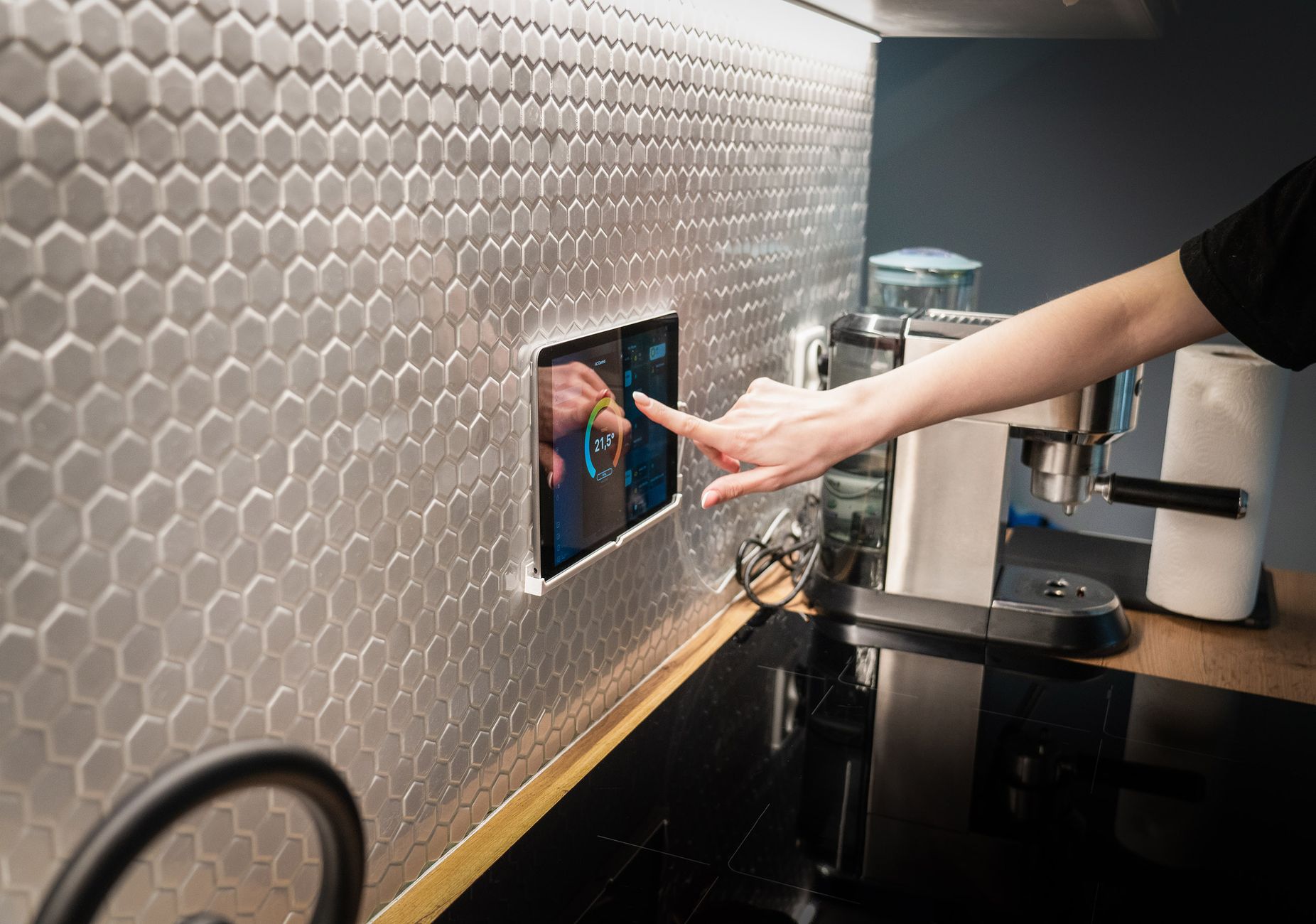
Apple HomeView approaches the household display problem by treating shared wall space as a conditional interface rather than an open communal tablet. According to geekpark, the hardware runs on an A18 chip using Secure Exclaves and captures audio through four beamforming microphones. The optics matter most. A 12-megapixel Center Stage camera identifies up to six family members to load individual home screens, ifanr notes.
Communal recognition alone does not unlock personal records. A face merely flags who stands in the room.
To surface personal messages and calendar events, geekpark reports that HomeView requires a user's paired iPhone or iPad to be on the same Wi-Fi network and recently unlocked. ifanr explains that private schedules stay shielded whenever that companion hardware is out of range. Physical proximity provides the missing credential. This architecture settles the tension between public utility and personal boundaries, but it demands an entirely homogeneous device ecosystem to function.
Ephemeral presence replaces personal login screens
HomeView eliminates the traditional profile picker by offloading user identification to ambient sensors rather than requiring manual logins at the counter. Hardware drives the process. Processing runs on an A18 chip using Secure Exclaves, supported by a 12-megapixel Center Stage camera that maintains visual coverage. geekpark reports that four beamforming microphones handle directional audio alongside that optical sensor. Through this front-facing lens, ifanr notes that HomeView automatically detects up to six family members. It switches profiles instantly. Personalized home screens and widgets load without forcing anyone to tap an account avatar.
- October 13Apple hosts Welcome Home event and opens HomeView pre-orders
- October 30Apple begins official sales of HomePod mini 2
- November 13Apple launches sales for HomeView and fourth-generation Apple TV 4K
- DecemberApple and partners begin releasing Apple Home Collection accessories
- early 2027Schneider Electric schedules release of PoE mount for wall HomeView
- between 2027 and 2028Apple plans earliest launch window for J595 robotic arm smart display
Visual identification alone never exposes private records. That deliberate barrier prevents a shared household screen from broadcasting confidential notes whenever someone casually walks past the counter.
Surfacing private context requires a companion confirmation channel operating alongside the camera. According to geekpark, personal information appears only if the user's paired iPhone or iPad sits on the same Wi-Fi network and was recently unlocked. ifanr notes that displaying private calendar schedules or reading personal messages demands this nearby device verification. Locking the phone hides the data. When that companion hardware moves out of range or locks its screen, personal cards vanish.
This proximity handshake resolves the persistent tension of shared household displays. In communal rooms where family members gather, the system restricts sensitive actions instead of showing data to bystanders. Safety stays local. ifanr notes that high-stakes operations like unlocking doors demand explicit identity verification through facial recognition or an iPhone. Glanceable utilities remain accessible to everyone, while private information stays tied to personal devices.
Stationary optics sidestep motorized tracking fatigue
Amazon tested communal motorized hardware when it released the Echo Show 10 in 2020. That device featured a 10.1-inch screen capable of 350-degree horizontal rotation, pivoting mechanically as people moved across a kitchen. To sidestep privacy controversies, Amazon tracked human silhouettes rather than performing facial recognition. The physical tracking still provoked household unease. A display that turns autonomously reminds everyone nearby that a sensor is following their steps, prompting users to disable the motorized base.
Still, fixed glass demands manual intervention. As ifanr highlighted from Mark Gurman's Power On newsletter, promotional footage for HomeView showed family members manually adjusting the display's tilt angle to maintain visibility.
Apple chose stationary optics to sidestep that tracking fatigue. According to geekpark, HomeView is equipped with an A18 chip using Secure Exclaves. The hardware pairs that silicon with a 12-megapixel Center Stage camera and four beamforming microphones. Instead of swiveling a stand, Center Stage crops and pans across the high-resolution feed to keep callers framed. The chassis never moves. Processing visual adjustments inside memory avoids the sensation of being tracked by robotic furniture.
Motorized tracking remains an active experiment in Cupertino. Mark Gurman reported that Apple is secretly developing a high-end smart display code-named J595. According to ifanr, that J595 smart display features an approximately 9-inch screen mounted on a motorized robotic arm. The unit is designed to identify who is speaking through voice recognition and automatically turn the screen toward that person. It follows sound directly. For everyday household counters, however, HomeView accepts manual nudges to keep optics stationary and preserve room comfort.
Wall mounting strips hardware while matching the desktop price
Both the desktop and wall-mount editions of Apple HomeView enter the United States market at $299, with sales starting on November 13 according to ifanr. This price parity hides a mechanical omission. The desktop unit matches dual speakers on the screen unit with an aluminum dome base containing an extra bass unit. Wall mounting eliminates that subwoofer enclosure entirely. Both formats deliver screen brightness running from 0.3 to 500 nits across Silver, Starlight, Rose Pink, and Space Gray. The wall panel simply sacrifices lower acoustic octaves at no discount.
That physical compromise is compounded by installation gear. As ifanr reports, HomeView contains no built-in battery and depends on continuous external power via a USB cable. To fasten the display to a partition, geekpark notes that buyers must supply a Schneider Electric power mount. The basic USB-C bracket adds $59.95. Hardwired AC wiring brings the mount to $79.95, while a PoE model launching in early 2027 costs $129.95.
What remains identical between the two shells is the localized processing pipeline. Geekpark highlights an A18 chip outfitted with Secure Exclaves alongside a 12-megapixel Center Stage camera. Audio pickup relies on four beamforming microphones. This on-device silicon keeps accessory control strictly local. The hardware directly verifies actions like unlocking the Apple Home Collection smart lock, which starts at $349.95. That lock triggers via Ultra Wideband when an authorized iPhone or Apple Watch containing a Home Key approaches.
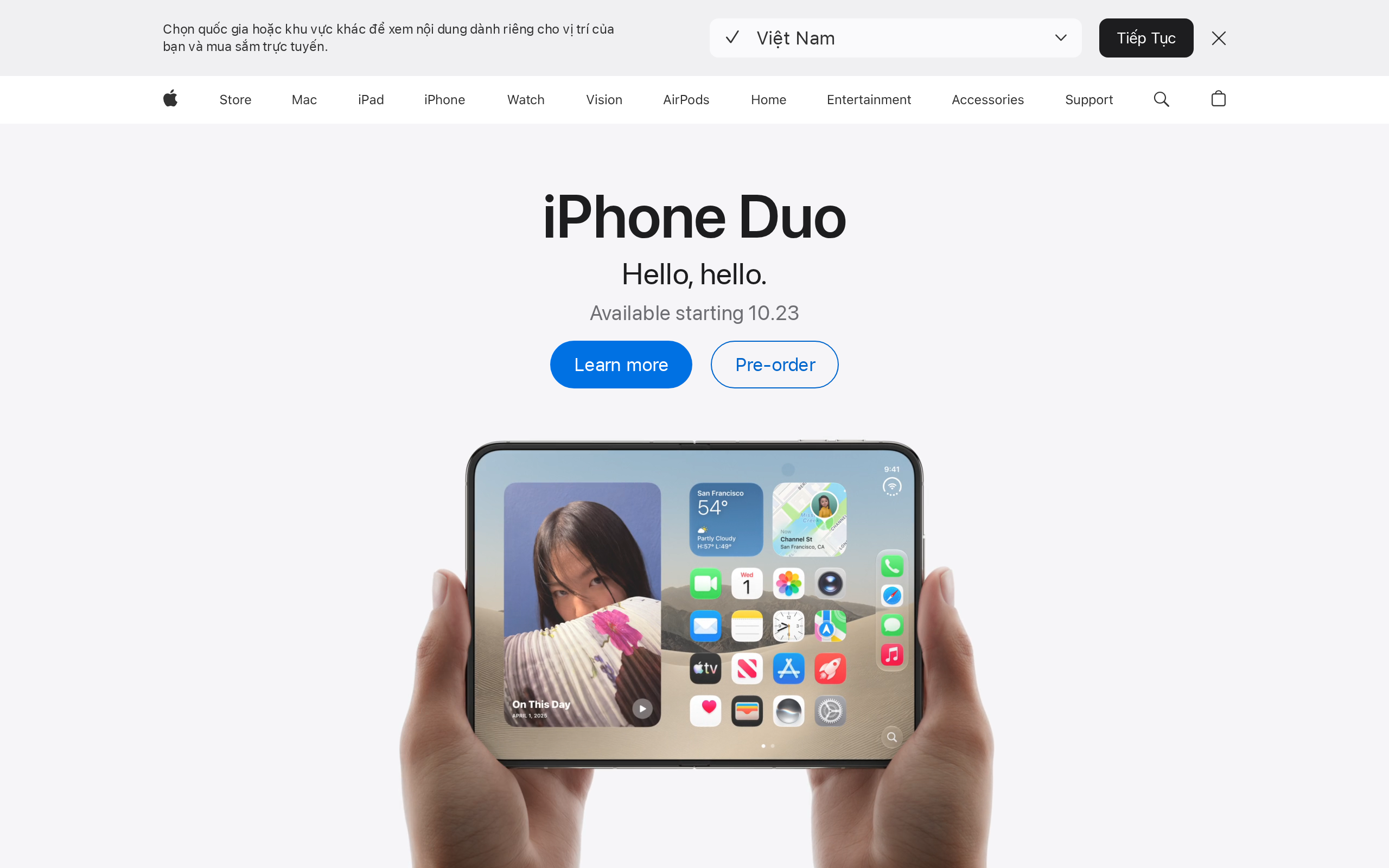
Wall mounting strips out the dedicated speaker chamber and transfers power cabling costs to the buyer. The underlying compute and credential checks remain completely intact.
Architectural Comparison of Dedicated Smart Home Displays
| Dimension | Apple HomeView | Amazon Echo Show 10 | Apple J595 (Robotic Arm Display) |
|---|---|---|---|
| Display specifications | 7-inch Liquid Retina screen, 0.3 to 500 nits brightness | 10.1-inch screen | Approximately 9-inch screen |
| Screen movement mechanism | Static screen requiring manual tilt adjustment via stainless steel hinge | 350-degree horizontal rotation | Motorized arm with brushless motor for 360-degree rotation and servos for vertical tilt |
| User identification & tracking | Front camera detects up to six family members via facial recognition | Tracks human silhouettes rather than performing facial recognition | Voice recognition identifies speaker and automatically turns screen toward them |
| Privacy & data access gating | Requires paired iPhone or iPad nearby, on same Wi-Fi, and recently unlocked | Silhouette tracking deployed to avoid privacy controversies | not covered |
| Processing chipset | A18 chip with Secure Exclaves | not covered | not covered |
| Device base price | $299 | not covered | not covered |
| Launch date | November 13 | 2020 | Between 2027 and 2028 at the earliest |
System boundaries lock out custom widgets and foreign devices
HomeView Software operates without an App Store. According to ifanr, the custom interactive operating system prevents users from installing third-party applications directly on the device. Independent smart home dashboards like Home Assistant cannot maintain dedicated native apps on the wall. Instead, users must transfer web content such as recipes or news from an iPhone browser to HomeView using Apple's Handoff feature. This architectural restriction forces external platforms to rely entirely on episodic projections from handheld screens. The unit remains a curated viewer for first-party widgets rather than an autonomous controller.
Foreign hardware finds no operational bridge into this setup. Android devices lose access to personalization and Siri AI, locked out from the communal screen whenever Apple-specific verification rules take over.
That walled design extends directly to the ambient assistant layer. According to geekpark, enabling Siri AI on Apple HomeView, Apple TV, and HomePod mini 2 requires the household owner in the Apple Home app to own an iPhone or iPad supporting Apple Intelligence. Mixed-platform households face a hard boundary here. Even basic voice interactions on shared speakers depend on the primary account holder carrying modern Apple silicon, meaning a household without that specific hardware cannot turn Siri AI on.
Viewing these limitations together, ifanr's author argues that Apple's launch of HomeView is primarily intended to provide an application scenario and home entry point for Siri AI rather than simply offering a new smart display. The screen exists to secure domestic software dominance. That intent also aligns with geographic boundaries. Geekpark reported that Apple HomeView's initial launch regions are the United States, Canada, the United Kingdom, Australia, New Zealand, India, Singapore, and South Africa, excluding the European Union.
Deploying Apple HomeView vs. Alternative Household Screens
- Choosing between desktop placement and flush wall mounting in a shared living area Select the desktop model ($299) if room audio performance is important, as it integrates an aluminum dome speaker base with a dedicated bass unit. Choose the wall-mounted version ($299) only if surface mounting is required, noting that it omits the dedicated bass unit, requires continuous external power, and necessitates a Schneider Electric power mount ($59.95 for USB-C, $79.95 for AC wiring, or $129.95 for PoE).
- Evaluating HomeView for a multi-user or non-Apple household Avoid deploying HomeView unless the household is committed to the Apple ecosystem. Enabling Siri AI requires the household owner in the Apple Home app to own an iPhone or iPad supporting Apple Intelligence. Furthermore, personal data such as schedules and messages will not display unless a recognized user (up to six profiles via on-device facial recognition) has a paired, recently unlocked iPhone or iPad on the same Wi-Fi network.
- Requiring direct app installations or custom standalone wall dashboards Do not purchase HomeView to run standalone third-party dashboard applications. The device runs HomeView Software, does not feature the App Store, and does not permit direct installation of third-party apps; external content like news and recipes must be pushed from an iPhone browser using Apple Handoff.
- Managing high-security home entry points and automated surveillance Pair HomeView with Apple Home Collection accessories (such as the $349.95 smart lock and $199.95 indoor camera). High-stakes actions like unlocking doors mandate identity verification via facial recognition or a paired iPhone, while connected LG indoor cameras automatically tilt down mechanically to cease recording once the first household member returns.
- Planning smart home deployments in regions outside the initial rollout Do not plan HomeView deployments for the European Union, mainland China, Hong Kong, or Japan, as these markets are excluded from the initial launch and Siri AI supports only English at launch. For mainland China smart home deployments, the HomePod mini 2 (1,099 yuan) is the only newly announced smart home device available.
Shared operating rules expose communication safety boundaries
Apple partitions Apple Accounts into three structured age tiers: children aged 13 and under, teenagers aged 14 to 17, alongside adults aged 18 and older. According to sspai, enabling the updated parental control framework requires every hardware unit in a Family Sharing group to run iOS 27, iPadOS 27, macOS 27, watchOS 27, or visionOS 27. For users under 18, Communication Safety activates by default. Analysis runs locally via on-device machine learning, barring Apple from viewing inspected media or detection outcomes.
Discrepancies emerge regarding how far real-time screening extends across active calls. Coverage from appinn claims Communication Safety blocks gory and violent content across shared media and inside real-time FaceTime calls. However, sspai documents a narrower implementation: the software detects nudity as well as violent and gory material in Messages, AirDrop, and recorded FaceTime video messages. Live FaceTime calls omit gore and violence detection entirely.
Built-in protections stop entirely at Apple's proprietary apps. As appinn points out, communication limits govern only Phone, FaceTime, and Messages, leaving third-party services like WeChat, Xiaohongshu, or Weibo completely unrestricted.
Broader management utilities face similar operating boundaries. According to appinn, iOS 27, iPadOS 27, and macOS 27 introduce scheduling alongside "Ask to Browse" (请求浏览) and "Time Allowance" (时间额度). These settings manage native runtime, but they cannot monitor external social feeds where uninspected conversations occur. Shared household screens mirror these native account rules, yet external communications remain unmonitored.
Before mounting shared screens, practitioners must map platform boundaries against household ages. Children under 13 cannot leave Family Sharing without a parent deleting or transferring the account, while teenagers aged 13 to 17 require an organizer to disable parental controls first. Only users reaching 18 manage their profiles independently. Built-in communication limits apply exclusively to FaceTime, Phone, and Messages, leaving third-party tools like WeChat or Weibo completely unrestricted. Even age-based Time Allowance settings for gaming and entertainment cannot plug those gaps.
Observing iPadOS 27, appinn author Qingxiaowa noted that child safety tools did not feel brand-new or stronger. Remote approval for extra screen time remains convenient, but hardware cannot fix single-user software limits.
For readers outside China
- Availability: Apple HomeView opened for pre-orders on October 13 and officially goes on sale on November 13. The initial rollout is limited to eight markets: the United States, Canada, the United Kingdom, Australia, New Zealand, India, Singapore, and South Africa. Launch is explicitly excluded in the European Union, mainland China, Hong Kong, and Japan, and Siri AI launches with support for English only. In mainland China, the only product from Apple's newly announced smart home lineup available for purchase is the HomePod mini 2, which launched on October 30.
- Pricing: The Apple HomeView smart display retails for $299 in the United States for both the desktop base and wall-mounted models. The wall-mounted model requires an additional Schneider Electric power mount: $59.95 for USB-C, $79.95 for AC wiring, or $129.95 for a Power-over-Ethernet (PoE) version releasing in early 2027. Associated ecosystem products include the Apple Home Collection LG indoor camera ($199.95), LG smart lock ($349.95), fourth-generation Apple TV 4K ($299), and HomePod mini 2 ($149 in the United States; 1,099 yuan in mainland China). An iCloud+ subscription is required to unlock 10 days of recorded camera event history, natural language video search, and AI video summaries.
- Closest Western equivalents: Amazon Echo Show 10 (features a 10.1-inch screen with 350-degree motorized horizontal rotation, released in 2020 using human silhouette tracking rather than facial recognition)
- Data residency: Local presence detection is executed on-device: the HomeView's A18 chip incorporates Secure Exclaves to run facial recognition for up to six household members, and related parental and communication safety features run on-device via machine learning without transmitting analyzed media to Apple. Displaying private messages and calendar items requires a physical proximity check (a paired iPhone or iPad recently unlocked on the same local Wi-Fi network). For cloud features, access to 10 days of camera event history and AI video summaries relies on an iCloud+ subscription; however, the source material does not cover specific data residency jurisdictions or regional cloud storage locations.
Sources
- sspai iOS 27 推出全新家长控制与儿童安全功能,这些变化值得关注 https://sspai.com/post/115242
- ifanr 苹果第一个 AI 机器人,可能是个能动的 HomeView https://ifanr.com/1684921
- geekpark 苹果给 Siri 做了一块能认出全家人的屏幕,售价 299 美元 https://geekpark.net/news/372302
- ifanr 刚刚,苹果 HomeView 发布!10+ 款「果家」新品,你能买到的只有一个 https://ifanr.com/1684070
- ifanr 苹果 HomeView 上手汇总:「果家」首秀小惊艳,SiriAI 很聪明 https://ifanr.com/1684341
- appinn 孩子手机玩太久怎么办?iOS 27 带来更强的儿童安全与家长控制 https://appinn.com/ios-27-child-safety-parental-controls
The evidence: 74 facts from 6 Chinese articles
Each line below was extracted from the article it sits under, in Chinese, before any of this was written. The writing is done from these and never from the source prose - that separation is structural, not a promise. How we work.
appinn孩子手机玩太久怎么办?iOS 27 带来更强的儿童安全与家长控制
- iOS 27, iPadOS 27, and macOS 27 introduce child safety features including "Ask to Browse" (请求浏览), "Time Allowance" (时间额度), and scheduling functions.
- The "Ask to Browse" feature requires children to obtain parental consent before viewing new websites in Safari.
- Communication Safety features have expanded to block gory and violent content, including in real-time FaceTime calls, in addition to nudity in shared images and videos.
- The "Time Allowance" feature provides age-based guidance based on expert recommendations to assist parents in setting usage time limits for social media, entertainment, and gaming apps.
- Children under 13 years old cannot independently leave Family Sharing; their accounts can only be deleted or transferred to another family group by a parent.
- Users aged 13 to 17 with active Screen Time or parental controls require approval from the family organizer, who must first disable parental controls, to leave a Family Sharing group.
- Users who turn 18 can independently leave a Family Sharing group and manage their own Screen Time settings.
- Apple's communication limits apply only to Phone, FaceTime, and Messages, and cannot restrict third-party instant messaging apps like WeChat, Xiaohongshu, or Weibo.
- When allocated screen time expires, a child can send a request from their device for more time, which parents can approve from their own phone.
geekpark苹果给 Siri 做了一块能认出全家人的屏幕,售价 299 美元
- Apple hosted a product launch event titled "Welcome Home" on the evening of October 13 Beijing time.
- Apple introduced the Apple HomeView smart display featuring a 7-inch Liquid Retina screen, priced at $299 in the United States.
- Apple HomeView opened for pre-orders on October 13 and is scheduled to go on sale on November 13.
- The desktop version of Apple HomeView features an aluminum dome speaker base, screen brightness ranging from 0.3 to 500 nits, and four colors: Silver, Starlight, Rose Pink, and Space Gray.
- The wall-mounted Apple HomeView costs $299 and requires a Schneider Electric power mount priced at $59.95 for USB-C, $79.95 for AC wiring, or $129.95 for a PoE model launching in early 2027.
- Apple HomeView is equipped with an A18 chip using Secure Exclaves, a 12-megapixel Center Stage camera, and four beamforming microphones.
- Apple HomeView can identify up to six family members via facial recognition, displaying personal information only if the user's paired iPhone or iPad is on the same Wi-Fi network and was recently unlocked.
- Apple HomeView's initial launch regions are the United States, Canada, the United Kingdom, Australia, New Zealand, India, Singapore, and South Africa, excluding the European Union.
- Apple launched the fourth-generation Apple TV 4K with an A19 chip and three far-field microphones, priced at $299 in the United States with release on November 13.
- The updated Siri Remote for Apple TV features a built-in speaker and supports Precision Finding through Apple's Find My network.
- HomePod mini 2 is priced at 1,099 yuan in mainland China, available in five colors, with official sales starting on October 30.
- Apple unveiled the Apple Home Collection smart accessories line co-designed with LG and Schneider Electric, including cameras, doorbells, door locks, thermostats, and sensors.
- The Apple Home Collection LG indoor camera starts at $199.95 and mechanically tilts downward to cease recording when the first family member arrives home.
- The Apple Home Collection smart lock starts at $349.95 and auto-unlocks via Ultra Wideband when approached with an authorized iPhone or Apple Watch containing a Home Key.
- Enabling Siri AI on Apple HomeView, Apple TV, and HomePod mini 2 requires the household owner in the Apple Home app to own an iPhone or iPad supporting Apple Intelligence.
ifanr苹果第一个 AI 机器人,可能是个能动的 HomeView
- Apple released over ten new smart home products, including the HomeView smart display priced from $299.
- The standard HomeView features a hemispherical base and a stainless steel connecting shaft that pays homage to the 2002 iMac G4.
- HomeView's front camera can recognize up to six family members and switch to the corresponding user's home screen.
- HomeView requires a user's paired iPhone to be nearby and unlocked before it displays private personal data such as schedules or messages.
- Amazon released the Echo Show 10 in 2020 with a 10.1-inch screen capable of 350-degree horizontal rotation.
- Amazon's Echo Show 10 tracked human silhouettes rather than performing facial recognition to avoid privacy controversies.
- Apple published a human-computer interaction research paper titled 'ELEGNT' examining a desktop-mounted robotic arm device.
ifanr刚刚,苹果 HomeView 发布!10+ 款「果家」新品,你能买到的只有一个
- Apple announced the Apple HomeView smart home display featuring a 7-inch Liquid Retina screen, an adjustable stainless steel hinge, and a hemispherical speaker base.
- The Apple HomeView is powered by an A18 chip and requires continuous external power via a USB cable because it has no built-in battery.
- The Apple HomeView can recognize up to six users through its front-facing camera to switch between personalized home screens, apps, and widgets.
- Displaying personal messages and calendar events on the Apple HomeView requires the user's linked iPhone or iPad to be nearby and recently unlocked.
- Both the desktop and wall-mount versions of the Apple HomeView are priced at $299 in the United States, with sales starting on November 13.
- Apple released the HomePod mini 2 powered by the S10 chip, priced at 1,099 yuan in mainland China and $149 in the United States, with sales starting on October 30.
- The HomePod mini 2 is the only product among Apple's newly announced smart home lineup available for purchase in mainland China.
- Up to four HomePod mini 2 or second-generation HomePod units can be configured with a fourth-generation Apple TV 4K to create a spatial audio home theater setup.
- The fourth-generation Apple TV 4K features an A19 chip with a dedicated AV1 hardware decoder and is priced at $299 in North America, launching on November 13.
- The new Siri Remote includes a built-in speaker and supports Find My with Precision Finding via compatible iPhones.
- Apple partnered with LG and Schneider to introduce the Apple Home Collection smart accessories, which can be configured directly in the Apple Home app without third-party apps.
- The LG smart door lock in the Apple Home Collection supports Ultra-Wideband technology to unlock automatically when an iPhone or Apple Watch approaches.
- The Apple Home Collection indoor camera tilts downward to stop recording as soon as the first household member returns home.
- Products in the Apple Home Collection begin releasing in December, with certain items scheduled for early 2027.
- Accessing 10 days of recorded event history, AI video summaries, and natural language video search for Apple Home Collection cameras requires an iCloud+ subscription.
ifanr苹果 HomeView 上手汇总:「果家」首秀小惊艳,SiriAI 很聪明
- Apple unveiled the HomeView smart display alongside more than 10 other smart home products.
- Apple HomeView features a 7-inch Liquid Retina display that supports True Tone.
- The display on Apple HomeView has a peak brightness of 500 nits and can dim to a minimum brightness of 0.3 nits.
- The desktop version of Apple HomeView includes dual speakers on the screen unit and an additional bass unit inside an aluminum speaker base.
- Apple sells the wall-mounted version of HomeView and the desktop base version at the exact same price.
- The wall-mounted version of Apple HomeView lacks the dedicated bass unit found in the desktop base version.
- Apple HomeView runs a custom interactive operating system named HomeView Software.
- HomeView uses a built-in camera and facial recognition to automatically detect up to six family members and switch to their respective customized personal profiles without manual login.
- Sensitive operations on HomeView, such as unlocking doors, require identity verification through facial recognition or an iPhone.
- Apple HomeView does not feature the App Store and does not allow users to install third-party apps directly on the device.
- Users can transfer web content such as recipes or news from an iPhone browser to HomeView using Apple's Handoff feature.
- HomeView's initial market rollout excludes mainland China, Hong Kong, Japan, and major European markets.
- Siri AI supports only English at its initial launch.
sspaiiOS 27 推出全新家长控制与儿童安全功能,这些变化值得关注
- Apple previewed iOS 27 and iPadOS 27 at WWDC26 in June 2026, with the updated parental control and child safety features rolling out officially in September 2026.
- Using the updated parental control features requires all devices in a Family Sharing group to be upgraded to iOS 27, iPadOS 27, macOS 27, watchOS 27, or visionOS 27.
- Apple categorizes Apple Accounts into three age tiers: children aged 13 and under, teenagers aged 14 to 17, and adults aged 18 and older.
- In mainland China, children under 14 years old must have a parent or guardian assist them in creating an Apple Account.
- Parents in mainland China must add a credit card to their Apple Account payment method to verify adult status when creating a child account, as debit cards and Alipay are ineligible.
- Parents can link a child's or teen's new device to Family Sharing during initial setup by scanning an animation using the parent's device.
- The iOS 27 content restriction interface includes an age slider ranging from '4 and under' to 21 years old to filter apps, web content, books, and TV shows.
- Websites with adult content are restricted by default for Apple Accounts under 18 years old in iOS 27.
- In iOS 27, native and third-party apps that parents block on a child's device disappear from the home screen without being deleted.
- iOS 27 introduces a 'Request to Browse' feature requiring children to get parental approval to visit new websites across Safari and other supported browsers on iPhone, iPad, and Mac.
- Communication Safety in iOS 27 detects nudity, gore, and violence in Messages, AirDrop, and FaceTime video messages, but gore and violence detection is not supported during live FaceTime calls.
- Communication Safety analysis runs entirely on-device via machine learning, preventing Apple from accessing the scanned media or detection results.
- Communication Safety is turned on by default for users under 18 years old in iOS 27.
- Parents can disable contact editing on a child's device in iOS 27, requiring children to send a request for parental approval before adding new contacts.
- OS 27 introduces a 'Schedules' feature within Screen Time that allows parents to apply different usage limits based on specific scenarios and time periods, such as school days versus holidays.